
Help, my Industar-26 aperture ring is off kilter...

Blake Werts

Established
Local time
12:28 AM
Joined
Feb 20, 2008
Messages
107
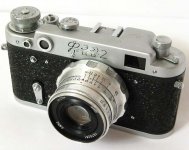
Just received a couple of FED-2s and one of the Industar-26 lenses has an aperture ring that is off kilter. (Please see attached image.)

When I open the lens up completely, the index mark falls somewhere around f5.6. When I close up the aperture to its smallest opening, the index mark is way out past the f22 mark as can be seen in the image.

Can this be easily corrected or must I attempt my first ever disassembly of a lens?

Thanks for your help,
Blake
 

Attachments

  • offkilterfstops.JPG
    offkilterfstops.JPG
    40.5 KB · Views: 0
Well, it can be corrected but you'd have to open it up...

If you want to try it, CAREFULLY read this: http://mattdentonphoto.com/cameras/industar_relubing/index.html

The key to your problem is here:
14-spanner_ring.jpg


You need to loosen the large nut from the back of the lens AND loosen one of the tiny set-screws on the "dof scale section" of the lens barrel - the one 180° from the focus index mark (it would be on the bottom of the lens in your picture) becasue this screw is longer, and actually should hold the optics of the lens from rotating...

the longer screw is here:
15-long_set_screw.jpg


Then realign aperture ring at wide open 2.8, tighten the large nut and tighten the set-screw.

If you have questions, don't hesitate to ask. I'm not sure I wrote it very clearly.
 
Thanks Spyderman. I'll take a close look at these instructions and try to gather enough courage to give this a try.

Apprecaited!
Blake
 
Well, it can be corrected but you'd have to open it up...

You need to loosen the large nut from the back of the lens AND loosen one of the tiny set-screws on the "dof scale section" of the lens barrel - the one 180° from the focus index mark (it would be on the bottom of the lens in your picture) becasue this screw is longer, and actually should hold the optics of the lens from rotating...

Then realign aperture ring at wide open 2.8, tighten the large nut and tighten the set-screw.

If you have questions, don't hesitate to ask. I'm not sure I wrote it very clearly.

Hey Ondrej,

Is it possible to do this adjustment without going through all of the steps outlined in the link that you suggested? May I just loosen up the "large nut" and the longer set-screw to make this fix or must I disassemble as per the instructions in the link?

Also, I'm not quite sure what type of tool I can use to loosen the large nut with--any suggestions?

Thanks Much,
Blake
 
Actually.... 🙂

I thought that I would give this a try by just pulling out the longer set screw on the "dof ring" and loosening up the other two. After this I was able to gently twist the aperture ring into place--it is a very snug fit. I then replaced all of the set screws back to their original positions.

Now I can easily read my aperture setting.

Thanks Ondrej!
Blake
 
Also, I'm not quite sure what type of tool I can use to loosen the large nut with--any suggestions?

Get some needle nose pliers and file the ends to fit.

Now that you've forced it back to position might be the time to tighten the "large nut" (now I remember - I think it's called "retaining ring") so that it won't drift again.
 
Back
Top Bottom