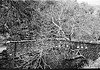
Microtek M1 scan samples

ItsReallyDarren

That's really me
Local time
4:30 AM
Joined
Jan 8, 2008
Messages
1,319
Location
Bay Area, Ca
Just got a Mictotek M1 a few days ago. Theres not a lot of reviews out there and even less scan samples, so Im posting what Ive got for now.
All shot with Ilford XP2
I cant remember the exact lens used but they where shot on a Canon 630 with either a Tamron 28-75 f/2.8 or Canon 70-200 f/4

Been tweaking around with it silverfast trying to pick up as much as I can. Im posting some pictures and 100% crops, let me know what you guys think.

Bridge

Full size
2279388564_1ffd47313a.jpg


100%
2278596461_49ce7df292.jpg


Hill

Full size
2278594583_c110c5317b.jpg


100%
2278596565_b0f93d66ec.jpg


Rock

Full size
2278596333_f1109c808a.jpg


100%
2279386572_1e312c3d44.jpg


Link to larger sized images;
http://www.flickr.com/photos/15288061@N00/tags/m1/
 

Attachments

  • 2279388564_1ffd47313a_t.jpg
    2279388564_1ffd47313a_t.jpg
    4.3 KB · Views: 0
It looks good at these sizes. Have they been sharpened?

I wonder if it is possible for you to post a full rez, unsharpened image here or if you might be able to email me one. I'm nearly sold on a Coolscan V (once I have funds!) but I'd like to make a comparison prints before I make a final decision!

Many thanks

charly
 
35mm Only

35mm Only

Charly said:
It looks good at these sizes. Have they been sharpened?

I wonder if it is possible for you to post a full rez, unsharpened image here or if you might be able to email me one. I'm nearly sold on a Coolscan V (once I have funds!) but I'd like to make a comparison prints before I make a final decision!

Many thanks

charly

You do know that the Coolscan only does 35mm film? The Microtek M1 handles 35mm, 120 & 4x5 film. The M1 probably scans 8x10 film also. I'm not positive.
 
Yes, I'm aware of that. I don't shoot 120 (though may in the future) and large format is of no interest to me.

My concern about the Coolscan is it's age combined with the fact that Nikon have not updated software in years. I will use Silverfast but, whereas it is free with the M1, is is an additional and definitive purchase with the Coolscan (or Vuescan) as I am using Intel Macs and Nikon Scan doesn't play well with them apparently.

It is conceivable that the M1/F1 - technology about 5 years ahead of the Coolscan, will surpass it's quality, especially given it's design. My skepticism comes in with the lack of info available on the web. There is one site (I forget which) which las updated it's diary - it's second entry, at the end of December. Given what Roger has said about bad reviews elsewhere on the forum - and the other likelihood of them working through an issue with Microtek - and the time it has taken, gives me significant concerns were I to invest in this direction. However, if a user can publish full sized, unsharpened scans for download, I can trust myself to make a reasonable comparison. Sure, it would be better to test each scanner with my own negs - but life ain't like that!

God that was long...sorry!
 
Charly said:
It looks good at these sizes. Have they been sharpened?

I wonder if it is possible for you to post a full rez, unsharpened image here or if you might be able to email me one. I'm nearly sold on a Coolscan V (once I have funds!) but I'd like to make a comparison prints before I make a final decision!

Many thanks

charly


I've uploaded the full resolution on my picasa page. You can download them and view them at full size (6700X4400).

You can find them here;
http://picasaweb.google.com/dkatin/m1

The pictures posted are sharpened, I didnt take much time to tweak the image, just used auto sharpen.

The scaner comes with film holders that can hold;
-4 strips of 35mm with 6 frames
-1 continuous 120 strip up to 8.5 inches
-2 4x5 frames
(the pro comes with two sets of these film holders)
-1 glass plate around 8x10

I'll try to put up some more scans, a set of sharpened and unsharpened. I'll also try to scan some 120 film as well.

While Im at it anyone have scan requests? I have 35mm in tri-x, hp-5, some fuji slides, and some kodak color negatives. I dont have much 120 negatives yet, I havent developed any from my yashica, only got some rolls from my holga.
 
Thanks for posting these. I shoot a lot of MF and am curious to see how this scanner stacks up the to the latest Epson flatbeds.

By the way, that's a nice bridge shot.
 
Jesus! Have you seen the price in the UK? £930 for the F1 HDR! It starts making the Coolscan 9000 look a sensible option - which, for me it isn't. Does anyone know why this is? If I were to buy an M1 from B&H, what taxes at what percentages would I be liable for?

Thanks
 
Jesus! Have you seen the price in the UK? £930 for the F1 HDR! It starts making the Coolscan 9000 look a sensible option - which, for me it isn't. Does anyone know why this is? If I were to buy an M1 from B&H, what taxes at what percentages would I be liable for?

Thanks
 
Realize that if you buy from the US, you will not get ICE (in case that is important to you). This accounts for part of the price difference.

Doug
 
i love the bridge, hill and gears photos.
thanks for posting the full size images/crops, i'm interested in upgrading my scanner and looking at the M1...
i think the crops or when you zoom in 100% in the full res files you posted, it looks just a bit as if it was filtered in photoshop. any settings that might have been on that could give different results with monochrome?
 
The Standard M1 is priced between the Epson 7xx scanners no? I'm conflicted now... save for the standard M1, the V750 or the M1 pro.

Regarding scan quality they seem comparable and the differences in packages that I've noted come down to:

- bundled software (Silverfast, SE vs Studio)
- holders (1 set with standard M1, vs. 2 sets with Pro, vs Epson's holders)
- and the ability for wet mounting the film with the Epson

I've not used Silverfast - is there a big difference between the SE and Studio versions?

And to the OP, did you have a chance to look at the Epsons before picking up the M1?
 
120 scans in

120 scans in

Alright got some 120 scans in. Dont get your hopes up too high though, they came from my holga. Shot on Ilford Delta 400. Ill try to develop the two roll of tri-x taken on my yashica this weekend.

All the images Ive posted have not gone through photoshop. All sharpening was done with Silverfast Ai. Any USM sharpening was done to what I determined was the best between sharp and pixelated, individual tastes will definitely vary.

And to the OP, did you have a chance to look at the Epsons before picking up the M1?

This is the first scanner Ive bought in years so I was pretty much in the dark most of the time. I read as many reviews as I could and looked at the scan samples, the two seemed similar.

What helped sway my decision towards the M1 was the autofocus feature. Speed was another thing I was looking into but since I didnt have any experience with the Epson scanners i cant say much comparativly. The M1 on single pass scans take around 4-5 minutes per slide, this is for 35mm and 120. Things dramatically slow down when features such as multiscan are turned on to minimize noise/grain or multiexposure to increase the density range. These options slow down each scan to 15 minutes, less or more depending on how many passes you want.

In my experience I dont bother with the multi scan/exposre options. They do cut down on noise and grain but the sharpness overall decreases by a lot. The image is smooth but sharpness takes a big hit. My personal outlook is, if I really want to reduce grain or major imperfections Ill fix it in Photoshop. The rest get archived with lightroom which has a pretty good and fast noise filter.

I primarily use the Silverfast Ai Studio software that came with the scanner, the software was the main reason I chose the pro version. I dont use the Scanwizard pro software from Microtek much, it was a blend of confusion and aggravation when trying to navigate it, trying to get decent scans was a whole new experience of confusion and many bad words.

Silverfast is not bad, it just took some time to learn the software and its quirks. I had to slow down and really know what consequences of each click or button I pushed because doing things hastily can result in accidentally starting a batch scan of all your film strips which can take a very very long time to finish (especially if you have the multipass options on)

If anyone here has an Epson scanner I'd definitely like to hear what you think of the M1's scans.

Cars 1 (2400dpi, USM sharpened)

Full
2285127586_8cf0392391.jpg


Crop 100%
2285127674_512628f9bf.jpg


Cars 2 (2400dpi, USM sharpened)

Full
2285132176_dab5b2d6dc.jpg

Crop 100%
2284345165_041ac58180.jpg


Full size images can be found here;
http://picasaweb.google.com/Dkatin/M1

If you would like me to email any of these images just let me know.

 
Heres the unsharpened versions of the 120 scans. You can see a big difference in 100% crop of 'cars2'


Cars 1 (2400dpi, no sharpening)

Full
2284471193_0ffabe2ba0.jpg


100% crop
2284472309_a6558f602d.jpg


Cars 2 (2400dpi, no sharpening)

Full
2285260188_5aa740d449.jpg


100% crop
2285260320_6dd4f5f0aa.jpg
 
If you own an M1/F1, you need to download the latest update for Silverfast. It helps eliminate the lines/banding many people were experiencing.

Doug
 
Back
Top Bottom