Bill Pierce
Well-known
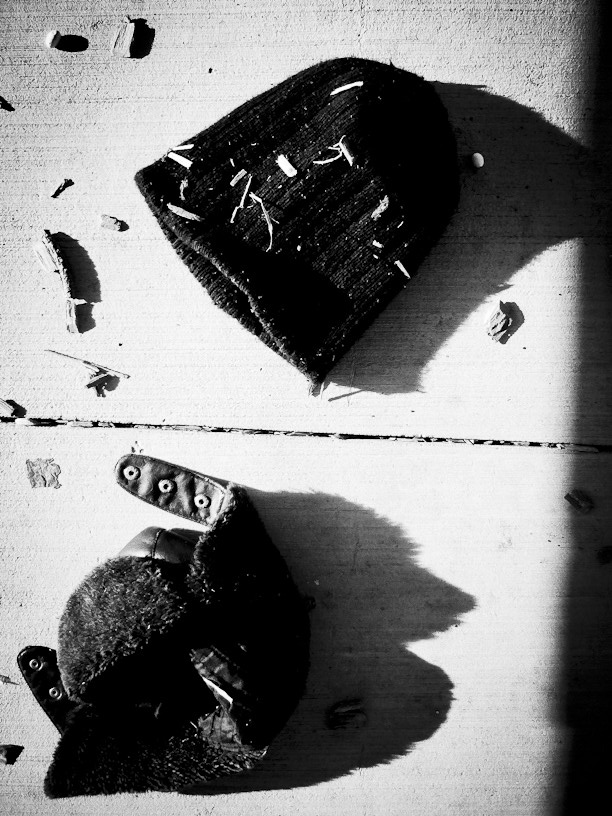
The fondness of some photographers for black-and-white is not without good reason. Color can make a routine picture more enjoyable, but, on occasion, it can also take what could be an outstanding and powerful image and reduce it to something unexceptional. Fortunately, the digital raw file can be used to produce a color image or a black-and-white image - your choice.
I’ve read a number of lengthy and complicated articles on converting color files to black-and-white, but it just isn’t that difficult. Most digital processing programs convert a color image to black-and-white with a single control click. At that point the color controls of the program act much like colored filters in film photography, and you can adjust them to do anything from bring out the clouds in a sky, smooth a complexion or emphasize the brightness of a specific element in the picture.
Now, do you want to make that black-and-white digital image have much of the look of a silver print from a film negative? For most folks, the answer is yes. Here are a few techniques that will help. Add some “clarity.” That’s the name most programs give to mid-range contrast. When you do that, the overall contrast of the picture may seem too high. If it does, just lower the overall contrast of the image. Consider throwing away some of the darkest details in the image. Digital can do a better job of holding the very darkest details than film and silver paper. I know it hurts, but just throw those lowest values away anyway. While you have increased the midtown contrast, you may want to add to that effect with a curves adjustment. Add a film-like curve to the image by lowering the contrast in the shadows, raising it in the midtones and lowering it in the highlights.
All of this can be done with most basic imaging programs. Some like PhotoNinja have a variety of preset black-and-white styles. Iridient Developer has settings designed to maximize the quality of monochrome images. There are specialty programs, add-ons, that can make it a lot simpler offering a variety of clarity adjustments, film curves and other useful conversion tools. Two of the most popular are Silver Efex Pro 2 and Tonality Pro. And there are presets from folks like VSCO and Mastin Labs that do conversions to black-and-white that mimic specific films. You can usually duplicate the effects of the specialty programs and presets with your basic processing program, but they certain speed up the process. Besides, if you are a used-to-be darkroom junky who now sits at a computer desk with the lights on - these are almost as much fun as messing around in the darkroom.
Your thoughts???
I’ve read a number of lengthy and complicated articles on converting color files to black-and-white, but it just isn’t that difficult. Most digital processing programs convert a color image to black-and-white with a single control click. At that point the color controls of the program act much like colored filters in film photography, and you can adjust them to do anything from bring out the clouds in a sky, smooth a complexion or emphasize the brightness of a specific element in the picture.
Now, do you want to make that black-and-white digital image have much of the look of a silver print from a film negative? For most folks, the answer is yes. Here are a few techniques that will help. Add some “clarity.” That’s the name most programs give to mid-range contrast. When you do that, the overall contrast of the picture may seem too high. If it does, just lower the overall contrast of the image. Consider throwing away some of the darkest details in the image. Digital can do a better job of holding the very darkest details than film and silver paper. I know it hurts, but just throw those lowest values away anyway. While you have increased the midtown contrast, you may want to add to that effect with a curves adjustment. Add a film-like curve to the image by lowering the contrast in the shadows, raising it in the midtones and lowering it in the highlights.
All of this can be done with most basic imaging programs. Some like PhotoNinja have a variety of preset black-and-white styles. Iridient Developer has settings designed to maximize the quality of monochrome images. There are specialty programs, add-ons, that can make it a lot simpler offering a variety of clarity adjustments, film curves and other useful conversion tools. Two of the most popular are Silver Efex Pro 2 and Tonality Pro. And there are presets from folks like VSCO and Mastin Labs that do conversions to black-and-white that mimic specific films. You can usually duplicate the effects of the specialty programs and presets with your basic processing program, but they certain speed up the process. Besides, if you are a used-to-be darkroom junky who now sits at a computer desk with the lights on - these are almost as much fun as messing around in the darkroom.
Your thoughts???