Can anyone help me with my problem?

Be.Kith

Newbie
Local time
4:54 AM
Joined
Jul 20, 2012
Messages
6
I am fairly new to Leica, i bought myself an M9 a few months ago, and been in love with the images it produces, and not once that i remember, that i've ever encountered this problem.

As you can see on some images, there's a strong blue lighting on the backlit and some of the reflections. What could cause this blue backlit?

I tried the whibal card with different isos and shutter speed, i tried auto whibal with different shutter speed, and i've tried auto whibal and auto shutter speed, still on some pics, this blue reflections came on strong.

What could be the problem here?

For information, the lenses i used are 50lux latest edition, 28cron latest edition.

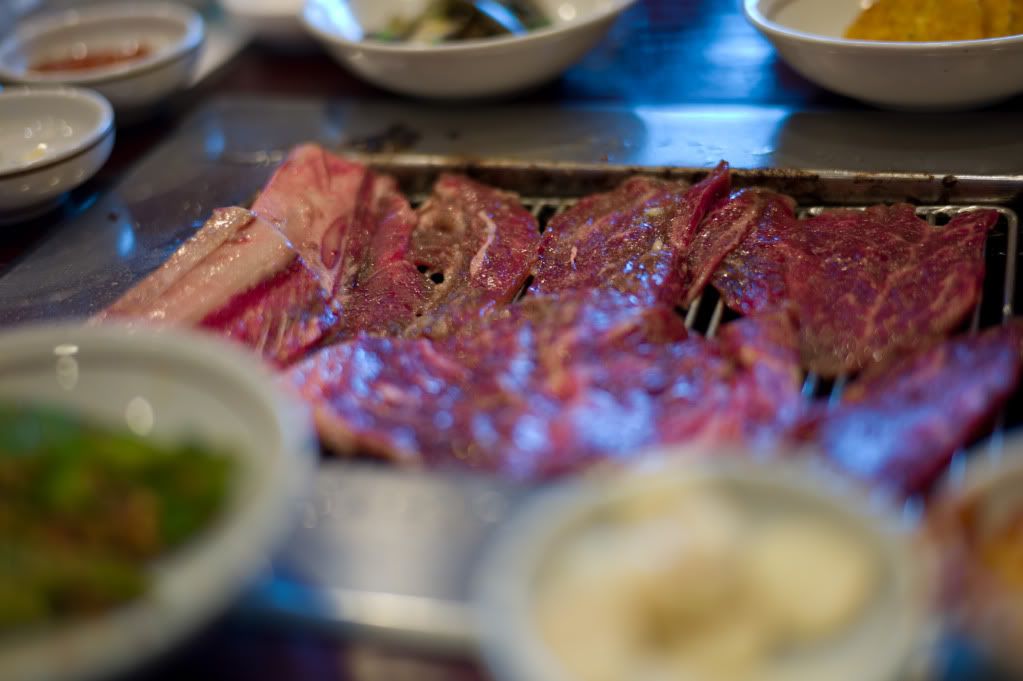
28cron f2.8 iso 80 1/125 sec (as seen, bluish color on the background)
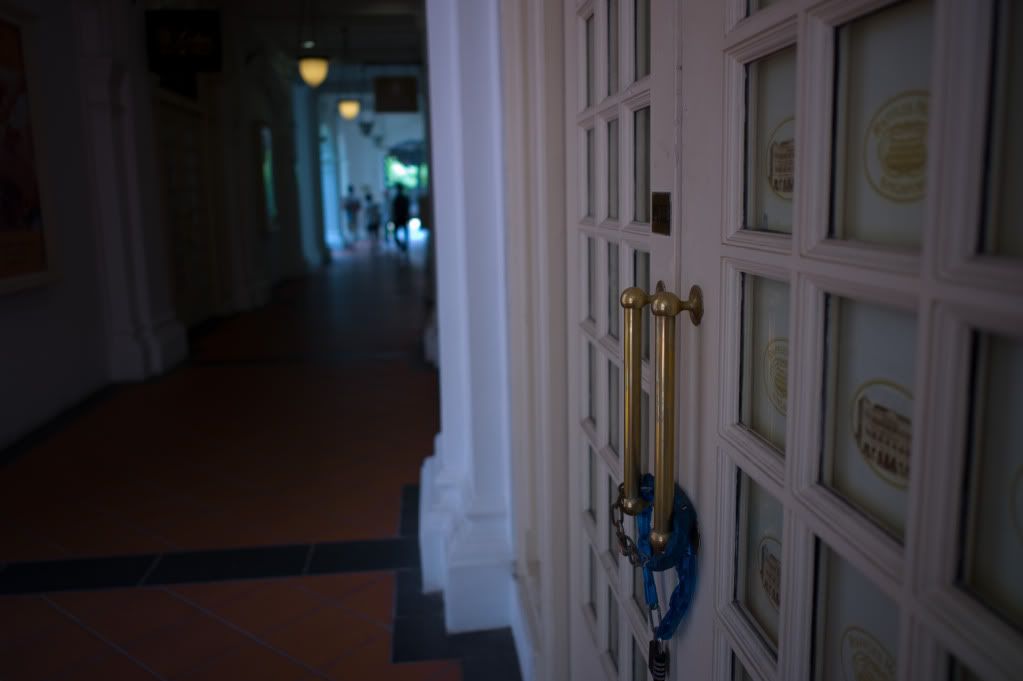
L9990323-1.jpg


50lux f1.7 iso 160 1/180 sec (background was pretty bright, somehow became blue)
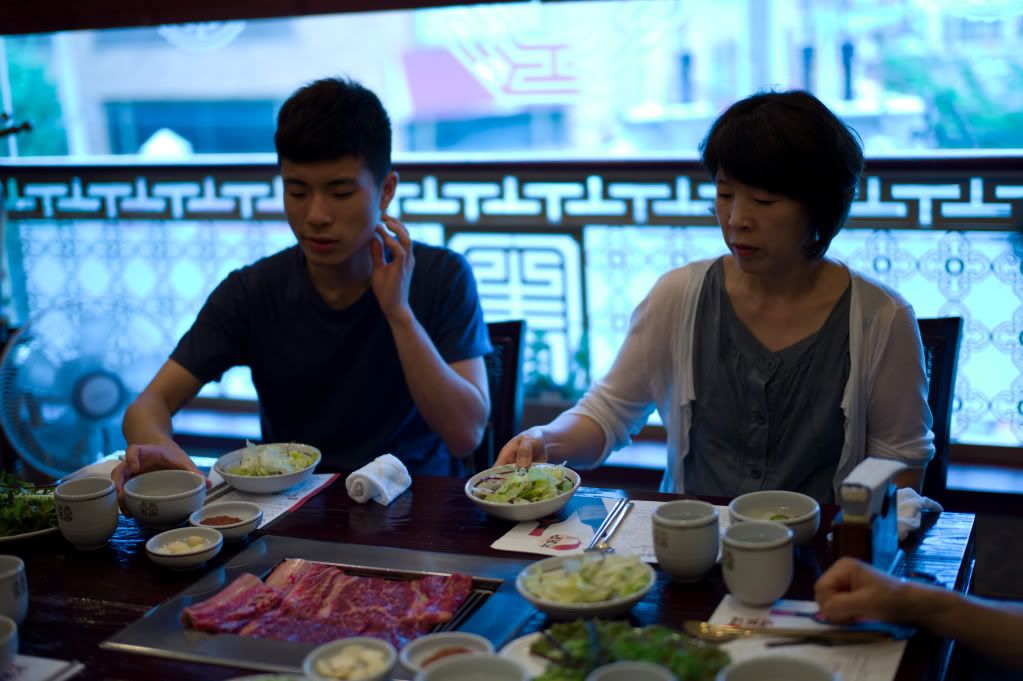
L9990471-2.jpg


50lux f1.7 iso 160 1/180 sec (pretty clear reflection on meat, table and anything with reflection from background was very blue)
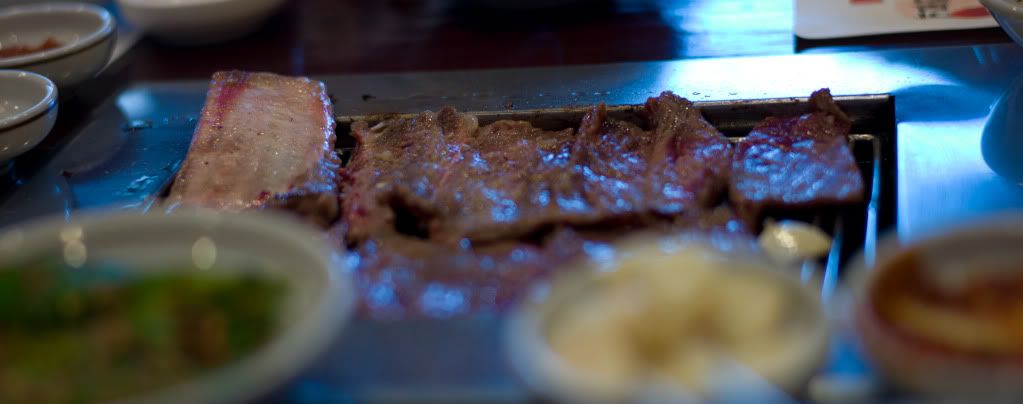
L9990473-3-1.jpg


50lux f2 iso 160 1/90 sec
L9990478-4.jpg


This is very annoying, Can anyone help me out?
 
Hey!

I will try to give it a shot knowing very little about digital cameras till someone experienced chime in.
Have you checked the White Balance? Try to set it manually to the correct color temperature (or approx) in "K" and check if there's any difference.

Regards,

Boris
 
Hey!

I will try to give it a shot knowing very little about digital cameras till someone experienced chime in.
Have you checked the White Balance? Try to set it on "Auto" and see what happens.

Regards,

Boris

Hi Boris, at one point i set everything on auto, still gave the same blue reflection.

Isn't it just about tweaking the white balance in the RAW?

Hi, yes, i know, i can tweak the white balance in raw, its just that when i set to auto, why it still came on blue, and i even used the whibal card, which should set the color, and still reflection came on blue.
 
Nothing wrong with your camera. It's working normally. The Auto white balance adjusted to the tungsten lighting indoors. Look at the restaurant shots, the hand towel and paper placemats are white. If you want the background to look natural then use Daylight WB and live with the indoor shots taking on a yellow cast.
The simplest and most practical way for you to get both indoor and outdoor light balanced to the same color temperature is to hammer the indoor subjects with a bright flash at an aperture that corresponds to the outdoor light and at a high enough shutter sync speed to counter the yellow cast from the lights.
Nothing to do with fiddling with raw files in post processing.

Btw, stop using AWB. It just makes batch processing a whole bunch of shots recorded with different color temperatures more difficult. Use Daylight for outdoors and Tungsten for indoors or the Flash WB if you're using flash.
 
The main problem is that you blew out the highlights with the blue prevailing. You could try if the defringe tool will get rid of it, otherwise it is a matter for the colorreplacement brush in Photoshop.
The restaurant shot would have been vastly improved with a bit of fill-flash.
 
Hi Boris, at one point i set everything on auto, still gave the same blue reflection.

Sorry man, I edited my post when realized what I am writing but it came too late 🙂

The peeps are already here to help you out 🙂 Hope it will work out well and you'll enjoy your M9!

BTW, welcome to the forum!

Regards,

Boris
 
Do a hard reset to factory defaults. If that did not work call Leica.
 
Cameras can always get fooled in auto mode (not just white balance but everything). Try setting it manually and getting the exposure without the blown out highlights. If you like the auto white balance, then just know you're going to have to add a step in post processing. Again. Its not the camera.
 
problem_2.jpg


I took the liberty of doing a 30 sec. tweak on one of your images in LR. Is this better to your eyes?

Tuned White Balance by hand (Temp +54, Tint +43); Vibrance -28 to tame the orange tones in the foreground, lifted midtones a bit and selectively decreased saturation in blues to keep the background under control. That's mostly it.
 
That food looks good. Kalbi?
Yes sir, it is Galbi, best Galbi i've ever had.

Nothing wrong with your camera. It's working normally. The Auto white balance adjusted to the tungsten lighting indoors. Look at the restaurant shots, the hand towel and paper placemats are white. If you want the background to look natural then use Daylight WB and live with the indoor shots taking on a yellow cast.
The simplest and most practical way for you to get both indoor and outdoor light balanced to the same color temperature is to hammer the indoor subjects with a bright flash at an aperture that corresponds to the outdoor light and at a high enough shutter sync speed to counter the yellow cast from the lights.
Nothing to do with fiddling with raw files in post processing.

Btw, stop using AWB. It just makes batch processing a whole bunch of shots recorded with different color temperatures more difficult. Use Daylight for outdoors and Tungsten for indoors or the Flash WB if you're using flash.

Thank you so much for the explanation, i used the auto just to see how the camera responded, before setting to auto i was using the white balance card, and it gave me blue backlit, thus setting it to auto just to see how the pictures came up. Almost never use the auto setups.

Sorry man, I edited my post when realized what I am writing but it came too late 🙂

The peeps are already here to help you out 🙂 Hope it will work out well and you'll enjoy your M9!

BTW, welcome to the forum!

Regards,

Boris

Hey Boris, thank you for the warm respond and welcome!

This is correct. When set to tungsten lighting, outdoor light will appear blue. If you had the camera set to outdoor lighting, then the indoor lighting would appear orange.

Thank you for the information kind sir.

😕😕There is nothing wrong with the camera...

😕😕I don't think i said there's a problem with the camera?

When there's a problem it's ALWAYS the camera NEVER the photographer 😱

When the shot is fantastic it's ALWAYS the photographer NEVER the camera 🙄

😀😀

Hmm..i was asking what might caused the problem, did i say i blame the camera? 🙄

problem_2.jpg


I took the liberty of doing a 30 sec. tweak on one of your images in LR. Is this better to your eyes?

Tuned White Balance by hand (Temp +54, Tint +43); Vibrance -28 to tame the orange tones in the foreground, lifted midtones a bit and selectively decreased saturation in blues to keep the background under control. That's mostly it.

Thanks for tweaking the image, but i'm familiar with LR, my asking for help here is that, so that i don't have to tweak the image in LR, i want it beautifully toned, out of the camera.

Thanks for all the help gentleman.
 
Nice to see someone else trying the whibal card. It can produce such perfect white balance indoors with mixed lighting that the result looks unnatural. Overgaard describes a neat trick for golden hour: set WB with the card in the shade, and the shots will show the appropriate warm golden light of impending sunset. Too cold for me to try it yet.

Hope you're reassured about the camera. Welcome and enjoy the forum.
 
Nothing wrong with your camera. It's working normally. The Auto white balance adjusted to the tungsten lighting indoors. Look at the restaurant shots, the hand towel and paper placemats are white. If you want the background to look natural then use Daylight WB and live with the indoor shots taking on a yellow cast.
The simplest and most practical way for you to get both indoor and outdoor light balanced to the same color temperature is to hammer the indoor subjects with a bright flash at an aperture that corresponds to the outdoor light and at a high enough shutter sync speed to counter the yellow cast from the lights.
Nothing to do with fiddling with raw files in post processing.

Btw, stop using AWB. It just makes batch processing a whole bunch of shots recorded with different color temperatures more difficult. Use Daylight for outdoors and Tungsten for indoors or the Flash WB if you're using flash.


Well, he's spot on. I prefer to shoot sans flash, so I accept weird color shifts like this as part of the deal. So I guess you either live with it, do a hell of a lot of post-processing, or just do it up in black and white. One advantage the boys and girls in the old days had over us, shooting with their B&W Tri-x....
 
😕😕I don't think i said there's a problem with the camera?

Hmm..i was asking what might caused the problem, did i say i blame the camera? 🙄

Indeed you did not, my reply was to the post by Jaapv which I explicitly quoted, I made no reference at all to your post and your legitimate request for an explanation. I regret any confusion caused by that.
 
...
What could be the problem here?...

As you can gather from the responses, the "problem" is the shooter's expectations. It is totally impossible for any WB system, be is auto or manual digital or film choice, to ever get the "correct" color balance on a scene where there are different color light sources lighting different portions of the picture. Truth be told, the mixed balance effect is correct as that is the way the scene was in real life.

You can never get "correct" color balance on both the tungsten lit and daylight lit portions of the scene at the same time without manually masking the image and adjusting the two image areas independently.
 
Nice to see someone else trying the whibal card. It can produce such perfect white balance indoors with mixed lighting that the result looks unnatural. Overgaard describes a neat trick for golden hour: set WB with the card in the shade, and the shots will show the appropriate warm golden light of impending sunset. Too cold for me to try it yet.

Hope you're reassured about the camera. Welcome and enjoy the forum.

I got myself an ExpoDisc and do manual WB every time I enter into different lightning situations, takes about 15 sec and never had any issues with strange colors. You just pop it directly infront of the lens and shoot in the direction of the light source. So it's a little easier than a card that needs to be hit by the light and you have to position yourself that there is no shaddow on the card and point to the card. But I guess it's for both methods just a matter of getting used to it.
 
Back
Top Bottom