Do you have an RSS feed from RFF?

MP Guy

Just another face in the crowd
Staff member
Local time
2:00 AM
Joined
Jul 28, 2003
Messages
2,776
Location
PNW
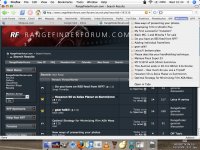
I decided to implement RSS feed option and it works fairly well. Now my bookmark is a drop downlist of the latest entries into RFF.

Do you RSS RFF? 🙂
 
Jorge,

Is it possible for you to enable a Firefox "Live Bookmark" on the main page. I just created a Live Bookmark to the RSS feed page but I would like to be able to arrive at the main page when I select "Open Location" or click through (with the LiveClick extension enabled). When I do this under the current setup, I arrive at the very bare-bones RSS feed page. This isn't a big deal, but it would be ideal to be able to view the Live Bookmarks and then move directly to the main RFF page.
 
I tried the RSS feed a while back when I went to bookmark a thread and everything started flying at me. I find it easier to go to RFF's homepage.
 
Basically, its a news feed. As new titles come up, they're added on the feed. Kinda like the bottom of CNN or the Stock Market.

When you make a live bookmark for the RSS feed, everytime you check it, it gives a list of the threads with most recent posts.

Most blogs have an RSS function that allows you to keep up to date with the latest blog entry too
 
Me too, sitting here at a loss.

Um, I use a knife in my kitchen, not a food processor
My car has a standard transmission
My cameras are manual
I view RFF by clicking on links

What is this RSS stuff.

Thank you,

Signed,
Ralph from the 20th century.
 
Right, if you have FireFox (which you should, its the best browser 😀 ) do this:

Go to the home page,
Click "new posts"
Look at the address bar, there should be a nice orange square with lines through it
Click it
 
Here we go:

You can see my well-ordered bookmark toolbar, with all the sites I visit regularly/daily.

Screenshot one - the orange thing
Screenshot two, a live bookmark using RSS

EDIT: If you don't have firefox, download it. Tabbed browsing, better security, popup/banner-ad blocking using 'adblock' plugin, live bookmarks 😀 and it's free
 

Attachments

  • rff1.jpg
    rff1.jpg
    11.4 KB · Views: 0
  • rff2.jpg
    rff2.jpg
    182.4 KB · Views: 0
I find it to be a waste of time, since the RSS feed items don't contain anything except a link to the first post. If I have to open the RFF page anyway to find out what a post is about, then I can browse RFF from the beginning.

Philipp
 
Ash said:
Screenshot one - the orange thing
Screenshot two, a live bookmark using RSS
Am I missing your screenshots because of RFF's known-suboptimal CSS link formatting, or did you really not attach them?

EDIT: OK, they're there now.
 
Back
Top Bottom