First MF Scan

Laurence said:
Nice, nice, nice Raid! I have been using an Epson 2450 for several years now, and love those MF scans.

You might consider scanning some Reala negatives, as the stuff scans beautifully. Once in a while there is some kind of weird coloration (maybe 10% of the time) but the overall Reala scans are POPPING with good solid colors, yet good skin tones.

I've also enjoyed Velvia for landscape scanning (of course), and also have found that 400UC scans beautifully.

There really IS a difference in scanning in relation to the various films out there.

Black and white film scanning was problematic for me at first, but with the utilization of the tweaking capabilities of SilverFast, I've been able to have good output from that venue now.

It's ALL fun!

Laurence: Thanks. I don't think that I have any Reala 120 film in my fridge, but I can always get some. I have plenty of 120mm Fuji NPS and Kodak Portra film. I also have Velvia 50 and Provia 100 slide film in 120 format.

I will try them all out with the scanner.

Raid
 
Forgot to mention Portra, another great scanning medium. Glad you mentioned it. Portra almost always benefits from a slight bit of "Curves" in the Epson scanner interface, and then it really pops! Let me know if you want a quick little "directional" on how I use Curves to beef up the beautiful Portra film even more.

Larry
 
Laurence and Raid,

I am about to get my Rolleiflex 3.5E back from a complete overhaul and want to give 120 color slides a try. (Still have my Yashica Mat 124g Laurence) So what's the recommended good scanning slide to start off with? I have an Epson 4180 scanner. Porta, Reala? I take mostly portraits of my kids so not looking for a landscape film which I think would be Velvia.

I have an upcoming vacation with my family to San Diego and hoping to finally try out color film in medium format.
 
Laurence said:
Forgot to mention Portra, another great scanning medium. Glad you mentioned it. Portra almost always benefits from a slight bit of "Curves" in the Epson scanner interface, and then it really pops! Let me know if you want a quick little "directional" on how I use Curves to beef up the beautiful Portra film even more.

Larry

Larry: By all means, educate us here.

Raid
 
Thank you Max. I prefer slow speed film for better overall color quality and also for possibilities to enlarge to 20x30 prints.

Raid
 
Ricardo, good to hear from you! I'm glad you are enjoying the Yashica Mat - were you the one I gave the close-up set to? My memory seems a bit cloudy - old age creeps in. The Yashica Mats are sublimely wonderful cameras. That Yashinon lens simply SCREAMS with a sort of creamy-sharpness that is beautiful.

Raid and Ricardo, for some reason, and I certainly don't know the "technicalities" of this, but I find that scanning Portra is always resulting in nice work - and nearly always I need to pump up the shadows in PS "curves" before getting it just like I "envisioned" it. A very good film to scan as it seems to just come out better to me than some of the others.

I think that slides are typically denser than normally exposed negatives, i.e. getting details without too much noise in the shadows requires a decent scanner, and I think you two will both find that you CAN make those scanners work in reference to the shadows. Beyond that, it's typically personal preference. I personally find that I can get better results from slides with less effort.

It might be because I have the "sample" on the light box, and so when I scan, I can see the matchup with the colors easily. Of course, with negatives there is that orange mask that makes it nearly impossible to determine "coloration", so maybe it's just that I'm easily impressed when looking at the chromes in the first place!

My scanner will clip the highlights on a high contrast scene negative, but is just fine with high contrast slides. That makes me a happy slide shooter.

And...of course, I don't expect FABULOUS results with my (comparatively) cheap flatbed scanner, at least in comparison to the dedicated scanners. But, I've been MORE than happy with the scanning of 120 chromes.

I've scanned a LOT of chromes and quite a bit of negatives over the past few years. Here is my PURELY subjective list of the "best", at least for my own needs.

Negatives:
1. Portra 400UC - BEAUTIFUL for skin tones, and exceptional grain for this speed. I shoot it at 320 - you don't want to underexpose this great film. Far and away consistently great scans for its speed.
2. Reala 100 - Good for skin tones, and exceptional for landscape colors. For me, it scans with an extraordinary consistent result.
3. Gold 100 (!!!) Don't laugh until you try it! Sure, it's an everyday Kodak film that is supposedly "grainier", at least according to the apostles out there in PNet land. But, it has a sort of "sharpness" and color detail that is wonderful to my eyes.
4. Portra 160NC - Nice stuff for people shots. VERY nice stuff. Pretty darn consistent. The Portra VC is not good for skin tones, but good for everything else.

Chromes:
1. Velvia 100F - NOT for people shots, but for landscapes and anything else with blocks of color, it's the best.
2. Provia 100 Daylight - Excellent all around, and gives good skin tones. Not as punchy off the scanner as Velvia, of course...but you can scan VERY true to the chrome you see on the lightbox with this film. Extremely consistent time after time.
3. Kodak EPN100 (Ektachrome 100) - I think this is an underrated film, and I was astounded when I got the chromes back, and then even MORE astounded when the scan gave me extremely accurate colors, including good skin tones.
4. Provia 400 - The FIRST high-speed chrome film that I have had good results with! Yes!!! Try it!
5. Agfa CT200 - I just got my first scan done yesterday, and I'm loving it.

The slide film > scan > digital print venue is FANTASTIC for me. I have a couple of scans that just, for some reason, came out SO beautifully, that I made 16x20s from them with excellent results! And, most all of the "good" 120 scans from my 2450 will do an 11x14 without even hiccupping. At least in my eyes....

Keep your eye out for the new Rollei black and white slide films...!!!!

Hope this helps you guys. Just MY opinion, and opinions are a dime a dozen. But, it sure is FUN to scan!

 
Last edited:
Larry: Thanks for the detailed suggestions. I do very minimal scanning adjustments but I will look into what you suggest. I find that my 35mm slides scan directly beautifully with my Nikon CoolScan III whereas negatives need some tweaking and massaging in PS to look satisfactory to my eyes.

As for film type used, I also use the Fuji NPS160 quite often. It is an under-rated film.

Raid
 
Laurence,

Yes, I am the one you gave that macro set to. Thanks again. I haven't used it yet as it seems to be for extreme closeups and I haven't run into a good chance to use that yet. My brother-in-law is a pastry chef so maybe I should try one of those close up food shots with this slide film I want to try next time he brings over one of his magical creations.

Thanks for the slide and negative recommendations. I am going to give Provia 100 a try. I need a lightbox now!

I have heard some rumblings about this new Rollei B&W slide film. Is it available yet? Price? What the preferred developer?

All the best,
Ricardo
 
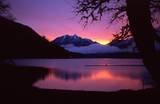
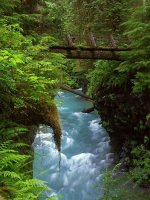
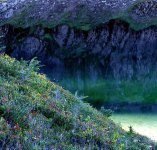
Raid/Ricardo, here a few examples of a small variety of film scans. Of course, the conversion to Web is atrocious for detail, but okay for comparing color depth and contrast depth. The original scans on these are MUCH sharper than you see here. Still though...a sort of "armchair" comparison to show you that these films are good scanning venues.

1. The sunrise at the lake - Provia400, quick shot handheld (!). The Provia scanned easily and true to color gamut. Sorry for the small size, I'm not at my normal computer. But, you can see the pretty good color, even with the high contrast. Pentax 645

2. The moss tendrils with the river and footbridge - 400UC negative. I had to tweak things to bring the color into gamut, but still not bad for a negative film. Most of the tweaking was in Curves and Levels post-scan. Pentax 645

3. The abstract alpine lakeshore reflection - good old Velvia, and you can see the coloration difference; pretty darn nice color gamut, and EASY to scan with no manipulations. Yashica Mat 124
 

Attachments

  • th_LakeCrescentSunrise.jpg
    th_LakeCrescentSunrise.jpg
    2.6 KB · Views: 0
  • PonyBridge.jpg
    PonyBridge.jpg
    101.2 KB · Views: 0
  • Jan22ConnieReflectSatCrop2.jpg
    Jan22ConnieReflectSatCrop2.jpg
    120.7 KB · Views: 0
Raid,

Glad to see you're sorted ofr MF scanning now.

I find manually setting the black and white points and having sharpening set to low on the Epson software is a good starting point. Then do any spotting and a local contrast enhancement sharpening (20/50/0). Save this as your "master". Then do all your adjustments as you see fit.

For scanning colour negative, Reala takes some beating - it really is a lovely film. The other Fuji colour negatives have always caused me some grief, but that is more down to my skill. Having said that, I have just been scanning some Pro400H, at that seems much easier to scan that earlier versions. Don't quite know why, as many people claim it is pretty much the same film 😕

For slide films, Astia and Provia 100/400 scan really nicely. Astia is prbably the easiest, but Provia 400 is a really great film (at least in 120).

For B+W, pretty much anything scans well for me.

Look forward to seeing more of your MF work now !
 
Thanks for the tips, PC. I have some MF slides that need scanning. I took the photos in some beautiful parts of the USA. I hope to soon be able to do the scanning. Most were taken with the Rolleiflex TLR, the Fuji GL690, and the Graflex Wide XLW on Velvia 50 film.


Raid
 
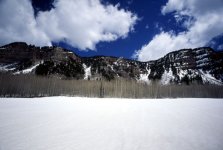
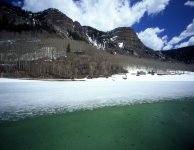
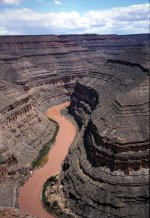
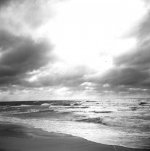
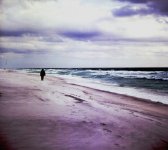
Here are a few more scans of slide film.

Raid

P.S. The square images were taken with a Rolleiflex 2.8D TLR and the rest with a Fuji GL690 with a 100mm AE lens.
 

Attachments

  • Colorado.JPG
    Colorado.JPG
    56.4 KB · Views: 0
  • colorado 2.JPG
    colorado 2.JPG
    64.1 KB · Views: 0
  • Gooseneck.JPG
    Gooseneck.JPG
    323.3 KB · Views: 0
  • mf beach.JPG
    mf beach.JPG
    166.9 KB · Views: 0
  • rasha 6.JPG
    rasha 6.JPG
    157.4 KB · Views: 0
Last edited:
The ddep blues of the skies are spot-on. The tonality in the b&w is really fine, especially when you look into the interior curl of the surf and see all those subtle grays and whites. VERY well delineated.

It looks like you are doing the right things. The scans looks clean and detailed. Very nice work, and the pictures themselves are pretty darn nice too! I especially like the canyon shot for its ruddy browns and umbers, as well as the excellent composition.
 
Thanks, Larry. I will try to add some more scanned images the coming days. I had those MF slides just sitting there ...


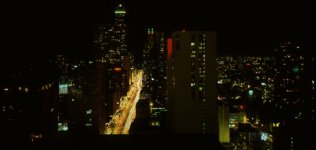
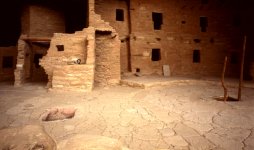
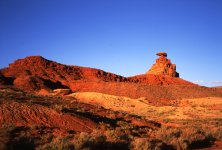
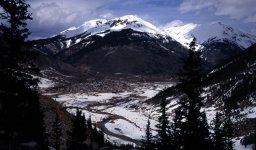
[edited] I have now uploaded four more slides.

Raid

P.S. The first image was taken with a Graflex XLW wide body with the Schneider
47mm/8.0 lens. The rest were taken with a Fuji GL690.
 

Attachments

  • Chicago.JPG
    Chicago.JPG
    98.2 KB · Views: 0
  • Mesa Verde.JPG
    Mesa Verde.JPG
    220.6 KB · Views: 0
  • Mexican Hat, NewMexico.JPG
    Mexican Hat, NewMexico.JPG
    315.4 KB · Views: 0
  • Silverton.JPG
    Silverton.JPG
    248.1 KB · Views: 0
Last edited:
Back
Top Bottom