Thanks {blush}
🙂
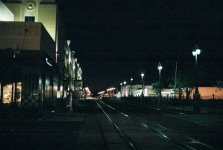
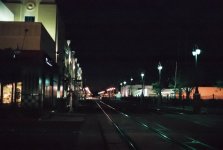
If you're looking at the wide-angles down by the Tropicana, those were shot on Fuji 1600 and yes, they do show more grain. All of the normal lens night shots on page 5 were shot with 400 speed film, intentionally exposed as if it were 800.
No, to underexpose one stop, shoot 400 film and set the ISO/ASA to 800.
This is opposite what some of the others said above, and we may just have to agree to disagree on that. What works for me might not be what works for them, or for you. I really don't know how your camera behaves.
Here's why I think that technique works ...
First of all, let's consider the sky. I like nice black solids. Unfortunately the sky in Las Vegas and many other urban areas is not solid black. It has quite a glow, and I think much of it is the smog in the air and the reflection and scatter from all of the lights. I want it to be black, as in clear on the negative. Underexposure will make it darker, overexposure will show up more of the glow, which I don't really want. I'm not after a nice twilight afterglow in these shots, I want a dark sky.
Now let's talk about the lights. In many of my early attempts at things like this, they tended to be overexposed and blown out. An example of this is:
http://www.letis.com/dmr/pics/vegas/oldlv/
Underexposing by a stop helps with this too.
Now, I'm going to try to explain something which may contradict everything I said.
🙂 I really don't think I'm actually underexposing by setting the film speed intentionally too high. The scenes I'm shooting here are very contrasty, dark skies, rather small areas of very bright light, and overall a darkish scene. The meters (Pentax and GIII) will average, and will suggest an exposure based on that overall brightness, or dimness., which will tend to be too much. Remember, the meter is only a suggestion. It's an opinion that the meter (which is as dumb as a retarded rock) has as to how to expose for average brightness.
I hope this helps and makes sense. This is something that works for me for these types of scenes. No, for daylight scenes or for normal indoor available light scenes I would never suggest this technique. I would expose 400 at 400 for those.
YMMV, of course.
🙂