SaveKodak
Well-known
Look I'm sorry but if you come in here and say, these are "terrible" or "awful", I'm going to be defensive.
OTOH, if you come in and say,"Great film flatness and color, but I notice that there is still some banding present..." I'm going to have a different answer for you. Now lets imagine that Huss brought some basic tact with him...
Yes, there was some banding. Also loss of contrast at the edges because I'm still perfecting my mounting technique, but I'm getting better with every scan.
Now, onto the banding. Here is a fix that works quite well: http://filmadvance.com/2011/10/how-to-eliminate-banding-from-your-scans/ Banding happens with every kind of scanner, it just does. Some more often than others. I admit that maybe it happens more with the PF120, but there are fixes and the results are frankly worth it for the price. A Coolscan 9000 still has banding occasionally and the cost now is outrageous. When it's at it best the PF120 Pro is 95% of a CS9k. That's amazing.
However, I believe in the product I bought. I actually opened her up tonight, theoretically voiding my warranty, and noticed that there was indeed a hair from my dog on the slot where the scanner lens sits! I used a rocket blower and gave it a good run through. I'm making a scan now and oddly, my scanner actually sounds quieter than usual post-cleaning.
As for Ko.Fe, yes, there is certainly some glow-y-ness to my images. This is typical of my Rollei, and I like it for that reason. The old Planar is a little low contrast and tends to glow a bit wide-open. I find this quite charming. It's much sharper from 4.0 and down. The expired chrome didn't help, you really lose contrast and sensitivity fast.
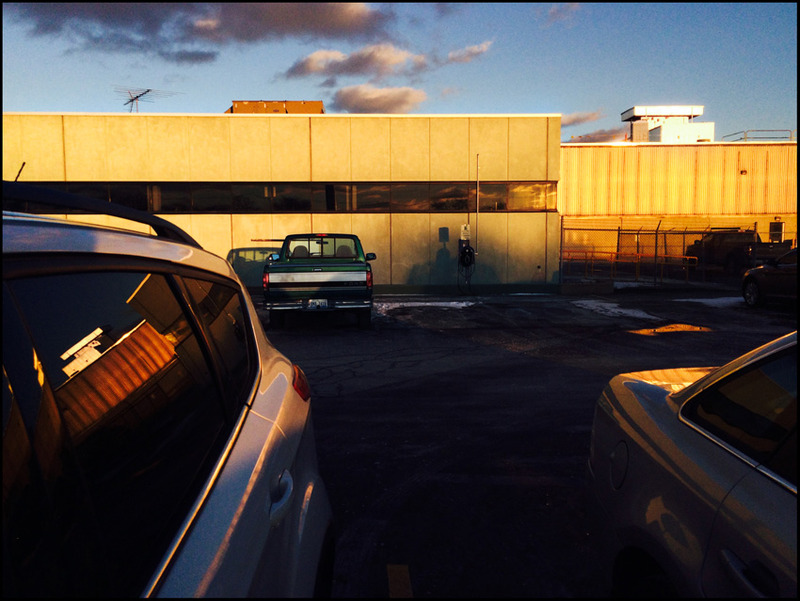
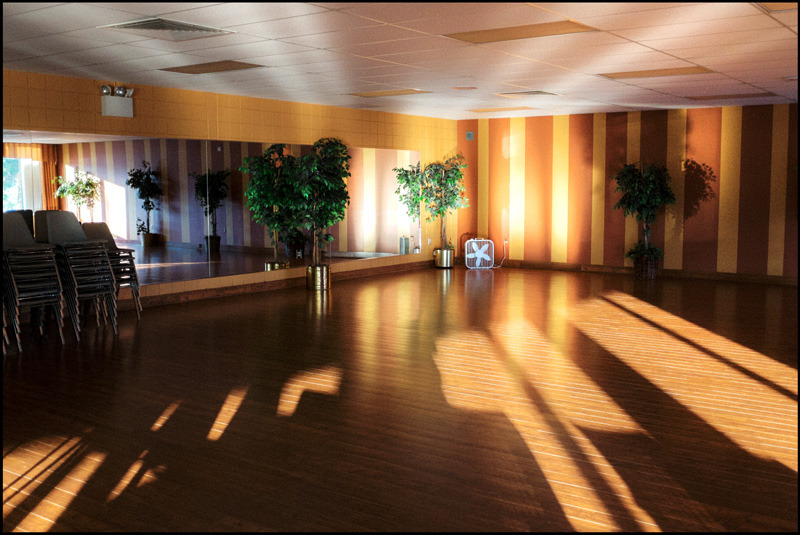
Now, here are some images to show the benefits of a real scanner.
 Provia 100F by Mark Sperry, on Flickr
 Kodak E100G by Mark Sperry, on Flickr
 Screen Shot 2017-05-08 at 1.21.43 AM by Mark Sperry, on Flickr
100% crop from the corner.
Now this is what Portra 400 is supposed to look like. Not only is this P400, but it's pushed 1 stop. This is also a wet scan. Wet scanning HUGELY reduces the noise from negative scanning.
 Kodak Portra 400 +1 by Mark Sperry, on Flickr
 Screen Shot 2017-05-08 at 1.24.55 AM by Mark Sperry, on Flickr
100% crop.
These are 50mp scans. They would print to 23x23. I'm actually glad Huss drove me nuts with his rude post, because it prompted me to clean my scanner lens. That stuff does matter and now my scans are even better. I will say that I still get banding with very dense film, but I'll use the method outline above to deal with that. Copy work with a DSLR is an attractive route to go, but it has a fatal flaw, and I still believe that even my "cheap" 120 deskop scanner is ultimately the way to go.
OTOH, if you come in and say,"Great film flatness and color, but I notice that there is still some banding present..." I'm going to have a different answer for you. Now lets imagine that Huss brought some basic tact with him...
Yes, there was some banding. Also loss of contrast at the edges because I'm still perfecting my mounting technique, but I'm getting better with every scan.
Now, onto the banding. Here is a fix that works quite well: http://filmadvance.com/2011/10/how-to-eliminate-banding-from-your-scans/ Banding happens with every kind of scanner, it just does. Some more often than others. I admit that maybe it happens more with the PF120, but there are fixes and the results are frankly worth it for the price. A Coolscan 9000 still has banding occasionally and the cost now is outrageous. When it's at it best the PF120 Pro is 95% of a CS9k. That's amazing.
However, I believe in the product I bought. I actually opened her up tonight, theoretically voiding my warranty, and noticed that there was indeed a hair from my dog on the slot where the scanner lens sits! I used a rocket blower and gave it a good run through. I'm making a scan now and oddly, my scanner actually sounds quieter than usual post-cleaning.
As for Ko.Fe, yes, there is certainly some glow-y-ness to my images. This is typical of my Rollei, and I like it for that reason. The old Planar is a little low contrast and tends to glow a bit wide-open. I find this quite charming. It's much sharper from 4.0 and down. The expired chrome didn't help, you really lose contrast and sensitivity fast.
Now, here are some images to show the benefits of a real scanner.
Provia 100F by Mark Sperry, on FlickrKodak E100G by Mark Sperry, on FlickrScreen Shot 2017-05-08 at 1.21.43 AM by Mark Sperry, on Flickr100% crop from the corner.
Now this is what Portra 400 is supposed to look like. Not only is this P400, but it's pushed 1 stop. This is also a wet scan. Wet scanning HUGELY reduces the noise from negative scanning.
Kodak Portra 400 +1 by Mark Sperry, on FlickrScreen Shot 2017-05-08 at 1.24.55 AM by Mark Sperry, on Flickr100% crop.
These are 50mp scans. They would print to 23x23. I'm actually glad Huss drove me nuts with his rude post, because it prompted me to clean my scanner lens. That stuff does matter and now my scans are even better. I will say that I still get banding with very dense film, but I'll use the method outline above to deal with that. Copy work with a DSLR is an attractive route to go, but it has a fatal flaw, and I still believe that even my "cheap" 120 deskop scanner is ultimately the way to go.