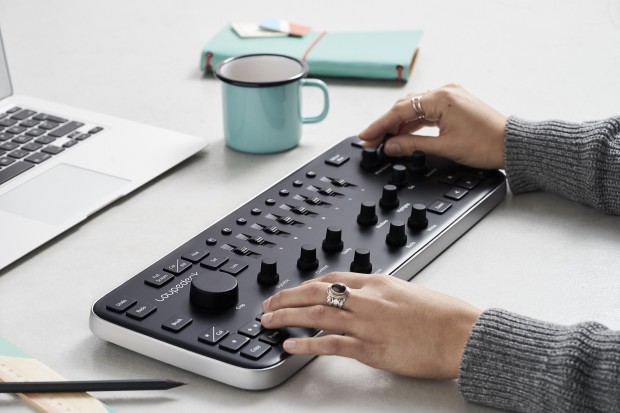
Loupedeck Lightroom editing console

The pad-printed function labels make me think that every knob and slider is bound to a specific function. That might work well for some, but Midi2Lighroom offers more flexibility at less cost...though you have to come up with pretty labels yourself 🙂
 
If the Loupedeck had sliding faders, I might be in.
I started using a Behringer Xtouch Mini this week with Midi2LR and I like it so far, but the twisty knobs are hard to get used to. I wish I had the space for a larger Midi console, but I don't.
If you do a lot of editing in LR, this is a great tool to make workflow move faster and easier.
 
I'm considering backing the Loupedeck and bought a Behringer X-Touch Mini today to use with MIDI2LR to see if I like the method of working. The advantage I see to the Loupedeck is that there's a control for basically everything I use in a typical session while the X-Touch Mini doesn't have quite enough controls on it to get the whole circus taken care of. There's going to be a few monkeys running loose. If there were a X-Touch Midi (as in Medium, not MIDI), I'd be all over it. Then again, it'd probably cost what the Loupedeck does.

With the ever-growing arthritis in my hands, I'm pretty much going to have to find an option other than a trackpad and mouse for pushing little sliders around so I'm giving this a serious whirl.
 
I'm considering backing the Loupedeck and bought a Behringer X-Touch Mini today to use with MIDI2LR to see if I like the method of working. The advantage I see to the Loupedeck is that there's a control for basically everything I use in a typical session while the X-Touch Mini doesn't have quite enough controls on it to get the whole circus taken care of. There's going to be a few monkeys running loose. If there were a X-Touch Midi (as in Medium, not MIDI), I'd be all over it. Then again, it'd probably cost what the Loupedeck does.

With the ever-growing arthritis in my hands, I'm pretty much going to have to find an option other than a trackpad and mouse for pushing little sliders around so I'm giving this a serious whirl.

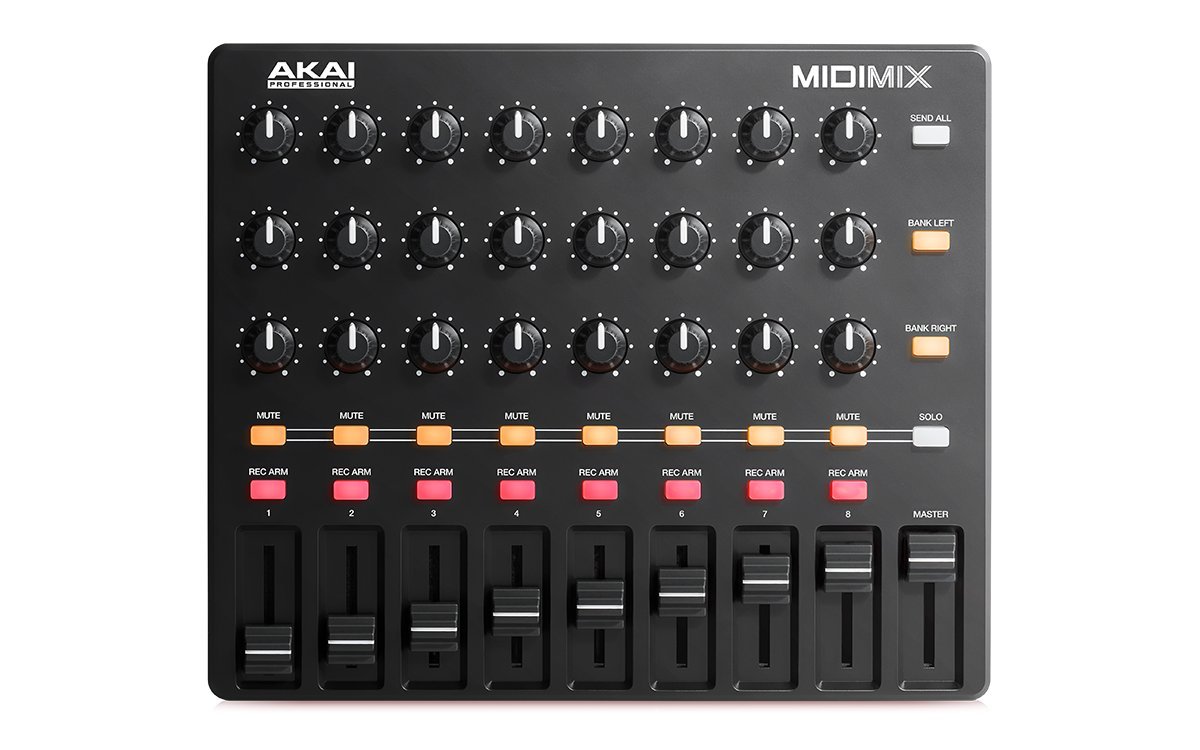
Can't vouch for it, but this Akai has 24 knobs and 8 faders on a 10x8 footprint at $100 (with Prime shipping). Should be plenty of controls.

61EUFWdtMlL._SL1200_.jpg


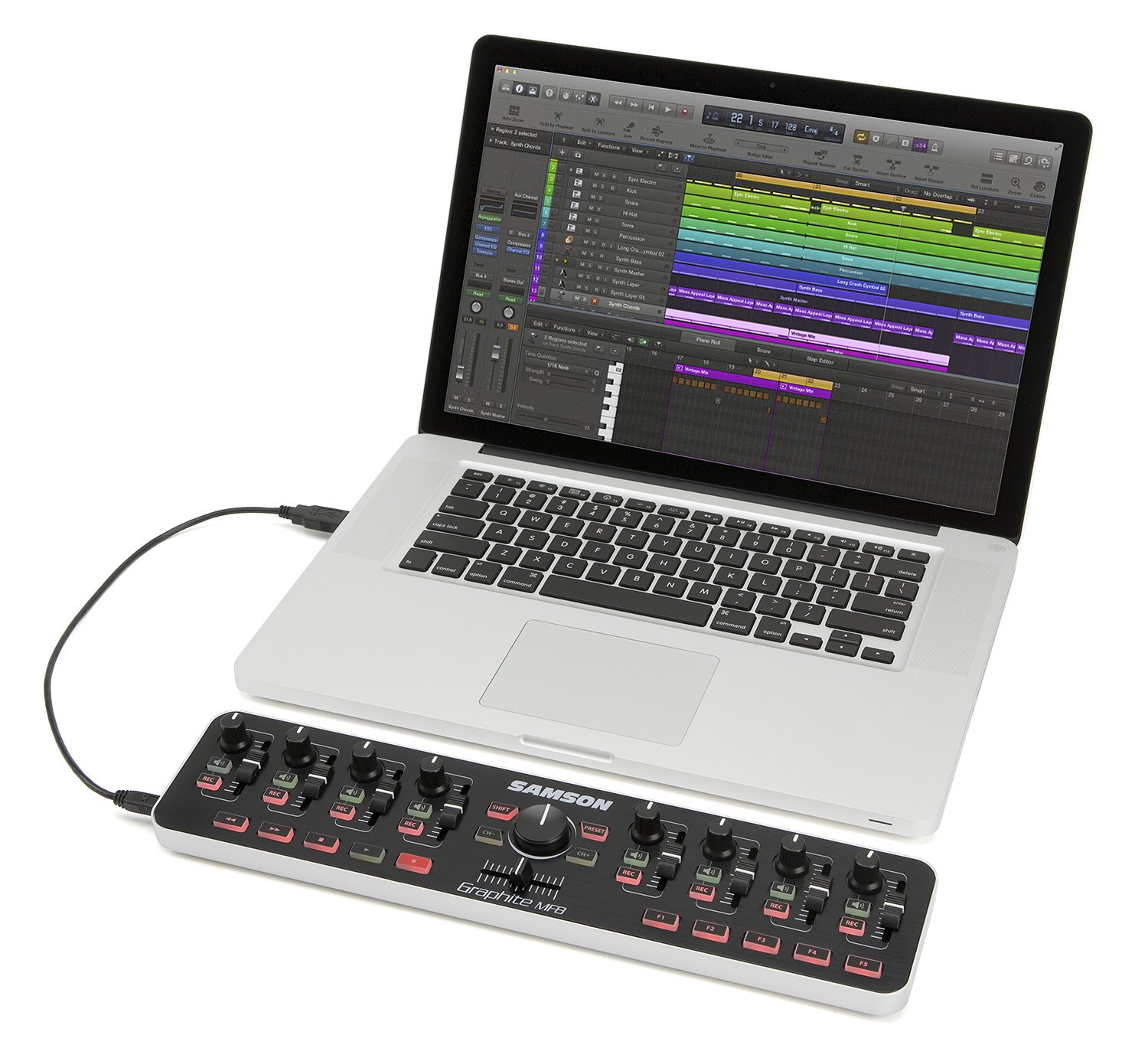
For those just beginning and wanting to try it out the $40 Samson might be a good place to start.

81vRR5V378L._SL1500_.jpg


Anyone knows if two controllers can be used simultaneously? I.e. get one Xtouch Mini and then add a second if more controls are needed?


.
 
"Designed for Lightroom" implies "hard to put to use with Premiere, Ableton or any other software that could benefit from a knob box". It will be fine for those which only use LR, even more so for companies that run several non-personalised LR systems, and customers that also buy overpriced keyboards with Premiere or Ableton shortcut symbols printed on will presumably buy them, regardless of price. Personally I'd rather get a generic knob box or keyboard and print my own overlays for all the knobby software I run...
 
Can't vouch for it, but this Akai has 24 knobs and 8 faders on a 10x8 footprint at $100 (with Prime shipping). Should be plenty of controls.


For those just beginning and wanting to try it out the $40 Samson might be a good place to start.
To work as well as possible, the knobs need to be digital encoders (not pots) and the faders need to be motorized. Both of your suggestions don't meet either of those guidelines.

Older tech with pots and non-motorized faders can be used but there's some weird behavior when you switch images. As an example, if you adjust your Exposure knob/fader to +1.25 to correct Image A and then move to Image B who's Exposure value is already at -0.50, moving the knob/fader won't do anything until you move it past -0.50 and it "picks up" the LR control. This seems really clunky and obnoxious as it would make it frustratingly difficult to move through a set of images and just slightly tweak their settings.

With encoder knobs, the value just magically resets to the current value as you move to a new image. Similarly, motorized faders will move themselves to the value of the current image as you move between images. Either way allows you to just barely move the control to create a slight tweak of the existing value.

Anyone knows if two controllers can be used simultaneously? I.e. get one Xtouch Mini and then add a second if more controls are needed?
I saw that MIDI2LR allows multiple controllers. I can't find out if it can handle multiple identical controllers without getting weird about where your settings land. If you have X-Touch 1 configured to do a bunch of stuff and X-Touch 2 configured to do a bunch of other stuff and unplug them, reboot the computer, and plug them back in, I'm not sure if MIDI2LR actually keeps them straight or if there's a risk that each time you plug them in your labels (or positioning on the desk) will randomly be software-connected to the wrong functions. I'm curious about running the X-Touch Mini with a MIDI Fighter Twister (who comes up with these stupid names?), though the latter is quite a bit more money.
 
The retail price will be $399. Disgustingly overpriced.


Is it?
How many units do they have to sell to break even?
It looks like a nice finished product and a niche one at that.
This will not be a big money maker.
The commitment price is $250 at the moment.
I bet actual retail will be closer to that number.
 
Is it?
How many units do they have to sell to break even?
It looks like a nice finished product and a niche one at that.
This will not be a big money maker.
The commitment price is $250 at the moment.

Agreed, Sunshine.
Not every item offered for sale in this world is simply a trap to get us ripped off by The Man.

We all have "overpriced" thresholds.

If one finds anything "disgustingly overpriced" one does has an option...

eschew disgust: Do Not Buy.

There ya' go.
 
Back
Top Bottom