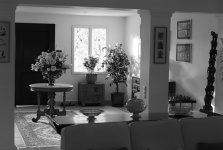
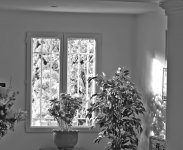
Not sure if this is what you meant; opened as .dng in PS2, converted to .jpg and reduced to 1MB file size. No other changes. Let me know if you had something else in mind.
22 degC today; we are in the South, very close to the Med! Was in Hanover on Thursday; 1 degC very cold. Off to the Far East Monday where it will be 35+ degC; I will think of you shivering in Oslo!
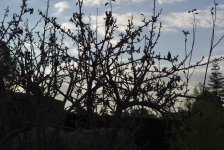
Another straight out of the camera and only re-sized.
Thank you; yes, it does answer my question. There seems to be plenty of detail in the highlights outside the window. Here is why I was interested in that question:
Sometimes when I have a photo with such a long tonal range, I will open it in Photoshop twice -- once with the Camera Raw exposure controls set to favor highlight detail, and again with them set to favor shadow detail. Then I drag one over the other, so that both are in the same Photoshop document as different layers. Then I use blend controls and layer masks to add back the missing highlight detail, exactly as one would do in a darkroom by "burning in" the overexposed areas of the image. (Yes, it's a lot of bother, but sometimes an image is worth the extra effort.)
This process would not be possible if the original raw file lacked sufficient detail in the highlights. It certainly appears that your file does have enough detail, which gives a good account of the M8.
This site uses cookies to help personalise content, tailor your experience and to keep you logged in if you register.
By continuing to use this site, you are consenting to our use of cookies.