Show us your digital M black and white conversions.

Just playing around......1936 Leitz Xenon on Leica M8

Just playing around......1936 Leitz Xenon on Leica M8

608.jpg


152.jpg


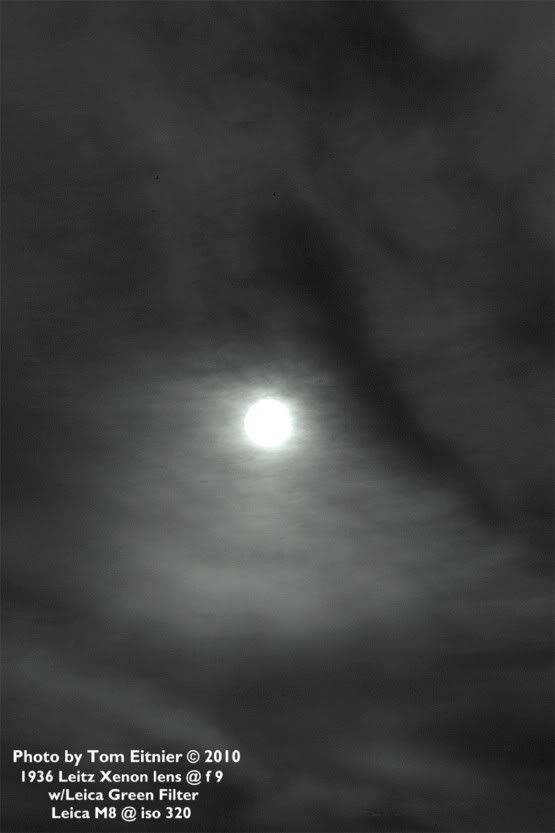
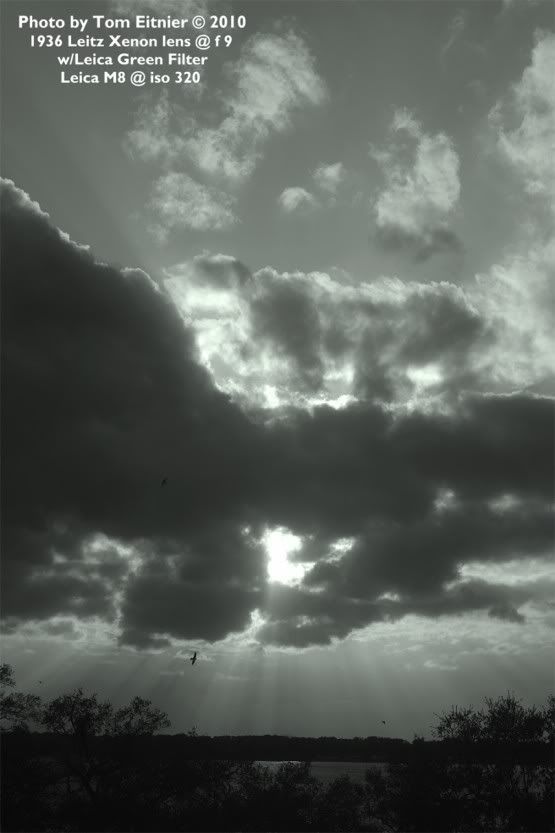
Here's two shots, straight out of the camera, just slightly tweaked darkened/lightened and a slight green tint added (for a kino look) ~ iso 320 with Leica Green filter on my 1936 Xenon f1.5/50 at f9 (max)

Enjoy!

Tom
 
608.jpg


152.jpg


Here's two shots, straight out of the camera, just slightly tweaked darkened/lightened and a slight green tint added (for a kino look) ~ iso 320 with Leica Green filter on my 1936 Xenon f1.5/50 at f9 (max)

Enjoy!

Tom


For a guy who professes not to be a fan of digital I've seen some nice images out of that M8 since you got itTom! 😀
 
For a guy who professes not to be a fan of digital I've seen some nice images out of that M8 since you got itTom! 😀

HAHAHAHAHA! yeah I do whine about DIGITAL sometimes, but I'm getting a better feel for the M8 now, there's some lenses that absolutely
DONT WORK with my camera, so now I'm staying away from them.

The whole thing about digital in my work is to make it look old...I do shoot a good amount of film still, but as it's getting tougher and tougher to get rolls developed, I'm moving alot of the Black and White work to digital.

The Xenon's not bad, it should be CLA'd and I think my sensor's dusty, while everything over f5.6 has tick marks and spots, (a pain in the ass to photoshop) but, I don't feel like sending the M8 off for two months to Leitz just to get the sensor cleaned, I guess I have to sooner or later though......

I hope to shoot a Xenon VS CZJ Sonnar test soon, both wide open and with portraits on the M8, though the Xenon's at a disadvantage not being coated and being 7 years older than the Sonnar, but finding a coated "wartime" Xenon has eluded me now for quite a few years...someday, someday 😉

Tom
 
Last edited:
The Xenon's not bad, it should be CLA'd and I think my sensor's dusty, while everything over f5.6 has tick marks and spots, (a pain in the ass to photoshop) but, I don't feel like sending the M8 off for two months to Leitz just to get the sensor cleaned, I guess I have to sooner or later though......

Leica is too polite to tell you this (or maybe they just like revenue), but if you look through these forums, you'll find sensor cleaning is a DIY five-minute job. Like you can go to a dental hygienist every day to have your teeth brushed, or you can do it yourself..😉
 
Leica is too polite to tell you this (or maybe they just like revenue), but if you look through these forums, you'll find sensor cleaning is a DIY five-minute job. Like you can go to a dental hygienist every day to have your teeth brushed, or you can do it yourself..😉

HAHAHAHAHA! Well, I may be good at Photography, but I have two left hands, so I don't know if I can trust doing it myself, I have a 4 year warranty on the camera, I have to use up some time on it, though I just don't want it to be gone for months, I can't afford to be without a second digital camera for my job......

Tom
 
I really am enjoying shooting black and white with the M8. I have only had the camera for a couple of days, but I am already having more fun with the camera then I have had in years.

These images are not great, but they show the black and white conversions that I have done so far.

Shot with an M8 and Zeiss 25mm 2.8
818984813_3ZZPA-XL.jpg


Shot with the M8 and Zeiss 25mm 2.8
818941283_QXsyU-XL.jpg


Shot with the M8 and Zeiss 35mm f/2
817684280_LJvkA-XL.jpg
 
Nice Thread

Nice Thread

I am enjoying this thread very much as I am right in the middle of pushing my digital skills towards what I have been able to produce in the Dark room.. so far the jury is still out.

I am curious about why people use the Nik software.

Is it that people can achieve with the Silver efex pro results that are not obtainable in PS or LR alone?

OR

Is it simply that results are achievable much more quickly?


I appreciate any comments on this question.
 
...and great music too !
rob

Thank you, Rob!

Here's a couple of shots from Capture One that I just put up on Flickr:

The Guy With Too Many Soviet Lenses, Omaha Camera Show, March, 2010

M8 + Jupiter-8 50/2

Lowell, March, 2010

M8 + CV Nokton Classic 35/1.4

Now, these are interesting, processing-wise, because C1 couldn't quite deliver the blacks I wanted, so, after importing the C1-generated .jpgs, I boosted the low end of the histogram in iPhoto (which is the same processing engine as Aperture), which got me the rest of the way to where I wanted to go with these. I probably could have got there in C1, messing with curves, but for Flickr, iPhoto did the trick.
 
Steve is correct, a very interesting thread with a lot of experience shared. I have the same question that SteveHicks has. And more is Silver efex pro usefull, or can be suggested also for the ones working from scans from a a negative ? my scan from a 35 mm neg, at 16 bit, max resolution are abou 110 MB. Thanks in advance for the answer.
robert
 
...I am curious about why people use the Nik software.

Is it that people can achieve with the Silver efex pro results that are not obtainable in PS or LR alone?...
Steve, someone said, "Photoshop is not a computer pgrogram, it's a way of life." I think that anything that one can accomplish with Silver Efex can be done with Photoshop, but the latter will often require more effort and skill, and substantially more time and effort in learning to acquire that skill. As for Lightroom, my feeling is that it's easier and more flexible to use Silver Efex. In any case, the latter can be run as a plugin under either Photoshop or Lightroom, as well as under Aperture.

Silver Efex does a basic conversion to B&W to which one then can start by applying one of a dozen different "film presets" ranging from Panatomic-X to TMX-3200, each of which has a different gradation, color response in terms of tonal palette and grain structure. On can start by choosing the film preset that looks the best for a particular photograph and then apply global brightness and contrast changes and then do burning and dodging using Control Points.

I like these Control Points a lot better than using Photoshop selections because the way of doing is more like dodging and burning in the darkroom. One thing one finds when starting to use Control Points is that a particular CP may affect some tones or areas that one didn't want to change. While the size of the CP circles can be reduced, sometimes they still affect other areas. The way to avoid this is to put down a new CP in that area, without adjusting any of the sliders: this will keep the tone or area under the new CP from changing, that is, from being affected by the other CP on which one has moved the Brightness or Contrast sliders.

Also, the film presets are completely customizable in terms of color response, contrast curve and grain simulation so that one can then save the customization as a new preset that can use on other files.

Before using Silver Efex I didn't like to try to simulate film grain but preferred to shoot at high ISO to get more noise, feeling that there was enough to do in applying gradationc changes and in burning and dodging, without attempting to become an expert in simulating film grain.

However, Silver Efex has excellent grain simulation which, according to Nik Software, is implemented by rebiulding the whole image with the selected grain characteristics rather than applying a layer of simulated grain. This approach produces grain that is much more film-like than high ISO digital noise. And the grain characteristics can be customized in terms of size and hardness or softness, so that one can, for example, apply the grain characteristics of the Tri-X preset to the Delta 100 preset.

Here are a couple of pictures that show Silver Efex grain simulation, although the effect is better viewed on prints than in compressed JPGs, followed by a Tri-X film shot:


Paris | Leica M8.2 | Summicron-28 | ISO 2500
3419694161_a0e77b63e2_o.jpg


Bangkok | Leica M8.2 | Summicron-28 | ISO 320
3565964093_d876ec7c29_o.jpg


Bangkok | Leica M8.2 | Elmarit-21 ASPH | ISO 320
3554586708_05616d57e1_o.jpg


Bangkok | Leica M6 | Elmarit-21 ASPH | Tri-X at ISO 200
535777175_688fb35c40_o.jpg


—Mitch/Bangkok
Barrier Series
 
Thanks Mitch ... that was an excellent example of what Silver Efex can do followed by the actual Tri-X example.
 
Thanks for Comments

Thanks for Comments

Malland, I appreciate you taking the time to respond to that. Very interesting. Nice photos as well...
 
Last edited:
Back
Top Bottom