philipus
ʎɐpɹəʇɥƃı&
Maybe one of you scan wizards could help me figure this one out 🙂
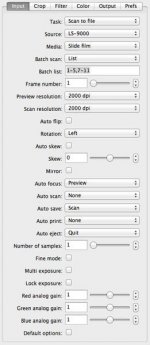
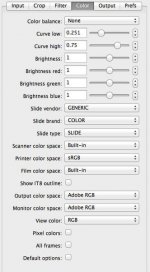
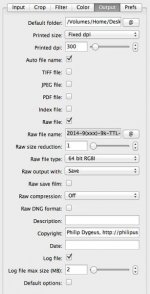
When I scan reversal film (Velvia 100 below), I find that there are rather large discrepancies in brightness between:
Let me explain.
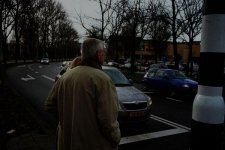
Image 1 (from left to right) is a screenshot from Vuescan's preview. It's rather flat looking but quite bright.
Image 2 is the same image when first opened in Photoshop. I did not make any adjustments but only saved as JPEG. It is considerably darker than what Vuescan saw in the preview.
Image 3 was opened in ColorPerfect's TouchUp mode and I pressed the "G" button next to the TouchUp/ColorNeg/ColorPos toggle to switch to "L" for linear scans. This brightens the image a lot.
to be continued in the next post with the fourth image...
When I scan reversal film (Velvia 100 below), I find that there are rather large discrepancies in brightness between:
- what I see in Vuescan
- what appears in Photoshop upon first opening of a scan
- what ColorPerfect produces in TouchUp mode and
- what ColorPerfect produces when Blacks have zeroed out highlight clipping.
Let me explain.
Image 1 (from left to right) is a screenshot from Vuescan's preview. It's rather flat looking but quite bright.
Image 2 is the same image when first opened in Photoshop. I did not make any adjustments but only saved as JPEG. It is considerably darker than what Vuescan saw in the preview.
Image 3 was opened in ColorPerfect's TouchUp mode and I pressed the "G" button next to the TouchUp/ColorNeg/ColorPos toggle to switch to "L" for linear scans. This brightens the image a lot.
to be continued in the next post with the fourth image...