


zauhar
Veteran
I haven't read a lot on RFF about the Canon 9000 flatbed. Since I asked for (I got one) for my birthday, I thought I would put up some first scans and comments.
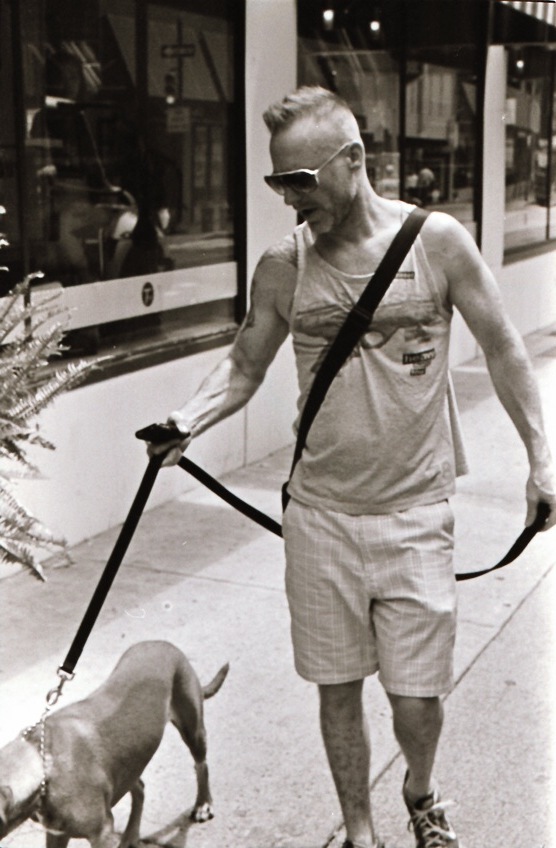
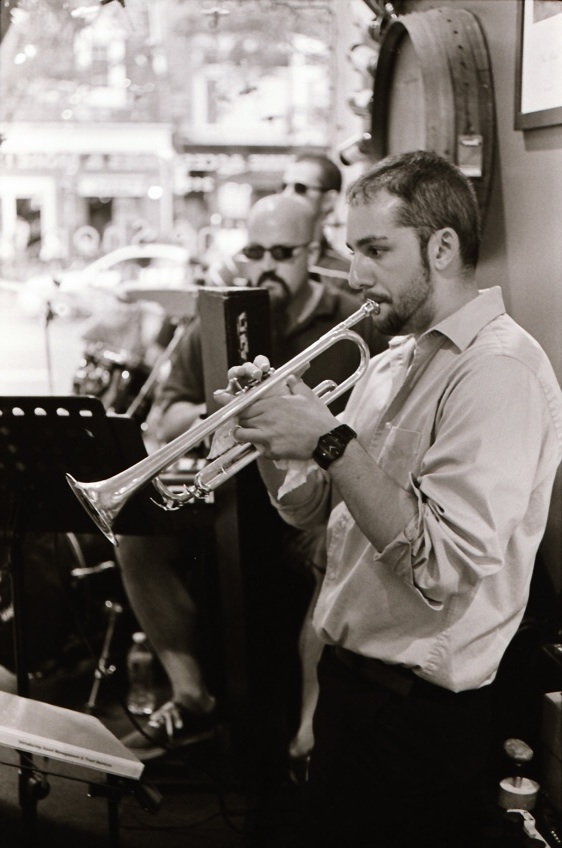
It's easy to use - has film holders for 35mm negatives and slides and 120 film. Bundled software is clunky and light on features, but there is an "automatic" mode which is easy - load two strips of 6 frames (35mm) and click a button. The scans below are "raw" jpegs with no additional processing.
These were scanned at 4800 DPI (I think, the interface does not provide very good feedback as to what options are actually in effect), and took 15-20 minutes for 12 frames.
All photos with M3/50mm summicron DR, legacy (neopan) 400 film.
I think these look pretty good, although there is not a lot of detail in shadows. I would appreciate any comments and suggestions.
I will post separately a comparison with photo lab scanning of color negatives, and the 9000 - in that case the raw scanner output is miserable by comparison (very dim). I have seen many references to Vuescan, and will consider that as an alternative to the bundle app.
Randy



It's easy to use - has film holders for 35mm negatives and slides and 120 film. Bundled software is clunky and light on features, but there is an "automatic" mode which is easy - load two strips of 6 frames (35mm) and click a button. The scans below are "raw" jpegs with no additional processing.
These were scanned at 4800 DPI (I think, the interface does not provide very good feedback as to what options are actually in effect), and took 15-20 minutes for 12 frames.
All photos with M3/50mm summicron DR, legacy (neopan) 400 film.
I think these look pretty good, although there is not a lot of detail in shadows. I would appreciate any comments and suggestions.
I will post separately a comparison with photo lab scanning of color negatives, and the 9000 - in that case the raw scanner output is miserable by comparison (very dim). I have seen many references to Vuescan, and will consider that as an alternative to the bundle app.
Randy


