mike goldberg
The Peaceful Pacific
So what is a "thin" negative? Umm... one that is not fat? 😉 I know there are instruments that measure density and contrast, etc., yet most of us eyeball it.
Frank is absolutely right; if I'm trying to establish personalized development and QC, why throw in dated film in the equation?
tetrisattack [Connor] suggests my Agitation is insufficient or too gentle.
Tom A had some good words on Time & Temp in flickr.
And, alexz shared with me, his development scheme.
So, a "thin" negative is underexposed, underdeveloped... or, Heaven forbid Both 😱
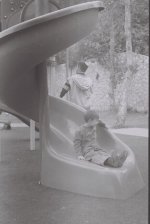
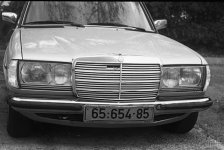
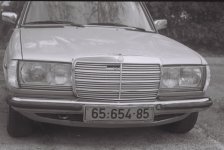
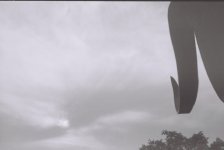
As you can see from the scans, contrast is way low. The pix were shot on Tmax 400 [dated] and exposed in a Bessa R with a J8 modified to the Leica standard. Development time was 17 minutes in HC-110, 1:50 at 70f, with 2 inversions of the
tank per minute.
Except for Resizing, there is no editing whatsoever on the images below. Editing was done on the smiley, to show how a "bad" negative can be saved.
Continued below...
Frank is absolutely right; if I'm trying to establish personalized development and QC, why throw in dated film in the equation?
tetrisattack [Connor] suggests my Agitation is insufficient or too gentle.
Tom A had some good words on Time & Temp in flickr.
And, alexz shared with me, his development scheme.
So, a "thin" negative is underexposed, underdeveloped... or, Heaven forbid Both 😱
As you can see from the scans, contrast is way low. The pix were shot on Tmax 400 [dated] and exposed in a Bessa R with a J8 modified to the Leica standard. Development time was 17 minutes in HC-110, 1:50 at 70f, with 2 inversions of the
tank per minute.
Except for Resizing, there is no editing whatsoever on the images below. Editing was done on the smiley, to show how a "bad" negative can be saved.
Continued below...
Attachments
Last edited: