V500 Contact Workaround

With my V700 I scan half the film holder, then scan the other half. It's a pain, but it's the only way I know of making a full contact sheet.
 
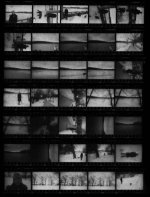
The only way I know of is to scan as a reflective document. I use "professional mode". Put your negs in their "print file" or whatever sleeves on the bed of the scanner and close the lid. Set Document type to "Reflective" and Auto Exposure type to "Document". I scan at 300dpi or below, otherwise it just takes too long. Invert, desaturate and do levels in photoshop. I end up with something like the attached jpg. Very dusty, but somewhat useful. The other option, if you have a digital camera, is to put them on a light table and actually photograph them. Then invert etc. in photoshop. A little more labor intensive but, in some ways, better.
 

Attachments

  • contact.jpg
    contact.jpg
    32.4 KB · Views: 0
v500 CONTACT SHEET

v500 CONTACT SHEET

Here is an easy way and what I do.
Do the regular scanning and inport them into PS Elements then select all [ctrl a] the then select print. Here is where you can have as many or as little inages as you wat on one sheet. I usually do a print preview to see if is going to be two or three shets. If one sheet is full and the second sheet only has a few images then I will select less photo per sheet and the contacts will be larger.
If you don't have PS Elements you can also download Picasa2.
Hope this helps
 
Back
Top Bottom