Pherdinand - It's kinda contrived, but this is what I do and it works for me....
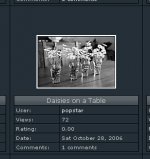
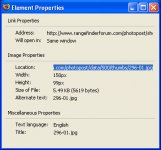
First, I go to my RFF gallery page and find the image I want (attachment 1 below). I then right-click on the image and select 'Properties' at the bottom. This will bring up the Element Properties box (attachment 2).
I highlight the location in the Image Properties section and do a copy/paste into the message reply here in the forum. I use the usual img tags before and after the URL.
Here is the key: I manually remove the thumbs/ section of the URL so the full-size image appears. Thus, my URL will read ......./data/500/XXX.jpg where 'XXX' is the name of the image as you uploaded it.
I don't know how I came upon this method, but it works for me. If my steps aren't clear, let me know and I'll try to help you out more.
Good luck!! 🙂