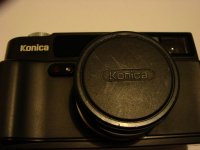
Thanks for the tips. I tried your instructions in M mode. It didn't fix the speed as you indicated which must mean that the update hasn't been applied. So looking at your direction towards the white table and enabling silent mode. It seems strange to add silent mode to my camera as it already has silent mode enabled. So why would I add it again? I'm not being funny just a genuine question.
A perfectly legitimate question, Paul. I found that updating for Silent Mode wasn't necessary on my Hexar (old, black version), but the other functions apparently need to be activated separately by using D[FE] instead of D[FA] as a value for step 8.
I'm a bit scared of applying the update from the white table as I really don't want a £300 paperweight.
The instructions sound scarier than they actually are. It seems that the majority of the steps in the instructions are just about navigating in the camera's ROM address space. When I did the update, I had a number of surprises, but no damage:
I followed the instruction steps 1 through 6 (as denoted in column A), and then the data displayed on LCD did NOT match with the description. I continued with step 7 regardless, and found that I was able to correctly set the D[xx] data. Note that [xx] denotes a hexadecimal number which can take on one of 256 states, so be patient and lo a LOT of button pushing. Take your time and precisely follow the instructions, then there shouldn't be any problem. If others have done it (like me), then you should be able to do it too.
It also seems that is is possible to do two consecutive update runs - one for silent mode (if needed) and one for one-touch M mode exposure setting (incl. several other new functions). I did the second update run (for one-touch M mode exposure setting), and it didn't influence my camera's silent mode performance.
Also, do you think I could get around the problem by using exposure compensation. If I am photographing a scene that is heavily backlit by a bright sky, I could use a +1.5 compensation. I'm confident that the Hexar struggles with backlit subjects as I've seen on my recent results.
There's no patent solution to your question, because the amount of compensation depends on the camera's measuring pattern. So, you have to experiment because maybe you were accustomed to another measuring pattern, and the Hexar might react differently than your previos camera. +1.5 is a reasonable starting point, but it (a) also depends on the actual contrast of your scene, (b) on the Hexar's metering pattern and (c) on the film you're using. I've also had success by only using a factor of 1.0 - but YMMV.
If you have a little more time when measuring your backlit scenery, you could use the Hexar's spot metering function in M mode. Measure your normal mid tomes, and then the highlights. Anything in the highlights that is >3 EV above the exposure that you have selected for your midtones will probably be blown (this is for negative film only, slide film has less latitude!). This ought to give you more meaningful info about the actually required compensation factor, which you need to select as a compromise between midtone-based exposure and highlight blowout prevention.