Highlights blown every time--Plustek 7600i and Silverfast 8

sorry if you already have done this, but did you set the black point for your images? I have a lot of experience with silverfast and a plustek 7300. Setting the black point is key.

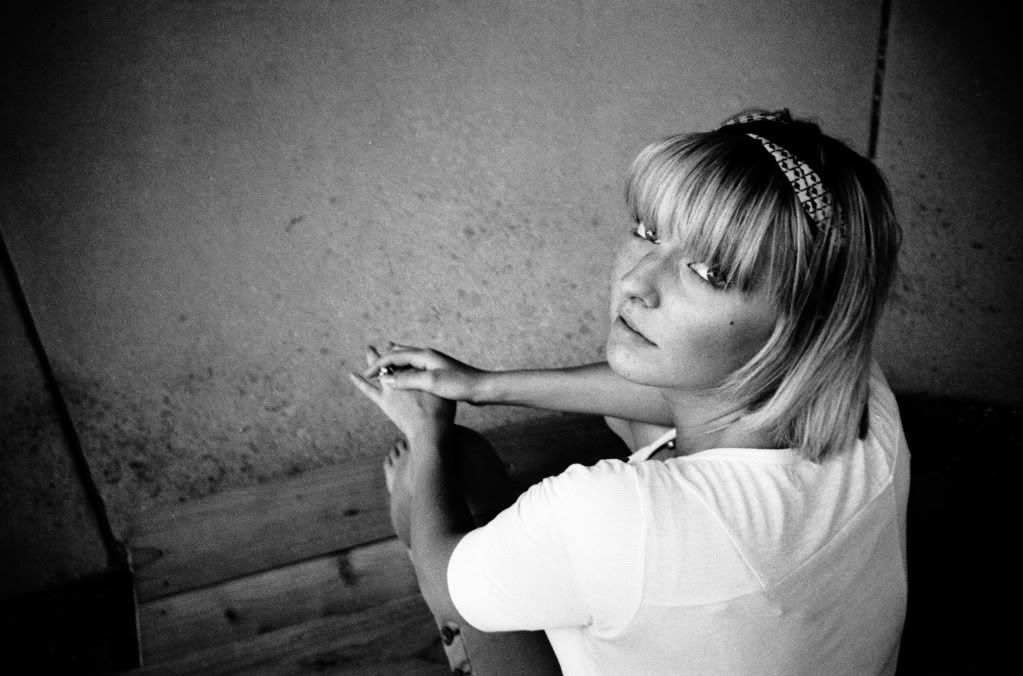
This is a high contrast shot (bright window in background) on arista premium 400 that turned out pretty nice as far as shadows and tones.
3420266680_20857f4348_z.jpg
 
Last edited:
sorry if you already have done this, but did you set the black point for your images? I have a lot of experience with silverfast and a plustek 7300. Setting the black point is key.

This is a high contrast shot (bright window in background) on arista premium 400 that turned out pretty nice as far as shadows and tones.
3420266680_20857f4348_z.jpg

That is beautiful; I would be very pleased with a similar result.

If you wouldn't mind, could you share what you mean exactly? Which tool you are using to set the black point? To me it seems there are a few ways: the histogram, pipette, densometer(?). To which do you refer?
 
This may not be relevant, but I deliberately produce thinner/less dense negs by reducing the development time by 20% in order to produce better scans.
I find my scanner (Epson 4870 flatbed) struggles to push through dense emulsion.

It flies in the face of what I was taught for darkroom work, but interestingly I've found negs developed by my preferred pro-lab to be of a similar density to those I now make.


.
 
I think we mean the eyedropper (pipette) tool with the white and black triangles. First, protect your highlights and get your image where you want as far as the bright tones. However you like to do that (playing with the histogram or whatnot), go ahead and get that set first. Then use the black point tool to identify what in the negative you want to be completely black. You'll have to play with it a bit (it can make things way too contrasty), but that should not change the upper end of your histogram while it clips the blacks a bit.

Also, keep in mind you want to scan with less contrast so you can bump that up how you like in post. It's an art (somewhat) not an exact science, so there will be some trial and error figuring out the program. Here is a straight scan (with no real blacks, and flowers not blown out):

3575076194_a2dbb85e4e.jpg


and after post processing (increase contrast, etc):

3575076802_af80400e3c.jpg


hope that helps. oh, and your picture of the people you posted earlier doesn't look bad at all. just needs some post processing.
 
Last edited:
hope that helps. oh, and your picture of the people you posted earlier doesn't look bad at all. just needs some post processing.

That was actually a different poster who was having a different issue.

My scans are turning out HORRIBLY over-exposed. As in half the image is bright, clipped white.
 
no hijacking intended - sorry. But we're both suffering similar problems with the same scanner & I have the silverfast as an option too. I bought vuescan because I couldn't find the silverfast workflows. It may be relevant in silverfast too - I need to check my mine - but does it have a setting for film base colour? This made a significant difference to scans on the various alternatives.
 
Well, good and bad news.

The good news is that it is working mostly correctly now. I still find that I have the slider cranked all the way to the right towards the right (highlights) but at least the results are acceptable.

The bad news is that I don't know exactly what I changed to fix it.

One thing I noticed is that choosing "other" and "other" under film stock and type is quite a bad idea. The film type choice seems to do more than pre-adjust the sliders, but make 'behind-the-scenes' adjustments which you can't undo just by changing the sliders. This was not the source of the problem, but I noticed it made a difference.

There was obviously some setting which was really out of whack. The odd thing is that it wasn't working last night, but this morning my first scan worked just fine--even though I hadn't adjusted anything yet.
 
I don't have a Plustek, but I'm guessing your problems are not related to film development. See if you can't set the white (and black) point clipping level(s) somewhere in Silverfast. When you find them, set them to 0%. These scanning programs often look at the whole scanned image and then set the end points to clip 1% (or some other specified amount) of the white/black image data.

I assume Silverfast lets you do this. It's one of the reasons I prefer Vuescan. Most of the contrast/color correction controls in Vuescan pretty much suck, but at least you can tell it to not clip any of the data and then do what you need to do with finer control in Photoshop.

Scanning as a positive or negative is probably flipping this relationship which is why you are getting different results, i.e. the 'white' on a negative is the 'black' on a positive, and vice versa, so your shadows might be a tiny bit clipped when you do the positive scan. But since the black point usually needs to be set more aggressively post scan anyway, you might not be noticing that slight difference.
 
A couple things I have learned

A couple things I have learned

I spent most of my time fiddling with the tools they give you, though it looks like I should have spent more time in the preferences menu. Although I still don't understand what most of the options mean, I have found that it will give you a live preview. Here are two things I noticed were important regarding finding the right exposure. You would think that the 'exposure' slider would be enough, but then I don't develop software!

2w6h0dj.jpg


33pfw5u.jpg
 
Last edited:
From Googling 'autopip silverfast', it does sound like 'autopip' can play a part how the highlights and shadows are clipped.
 
I'm using Vuescan and the 7600i. I find that scanning tri-x negatives I'm suffering from really muddy shadows. I've used Chris Crawford's vuescan settings - see scanner thread. The highlights don't seem too problematic with this software, but overall there is a kind of video-like quality to the images when printed. I'm going to try to re-scan as positives and will try to post a comparison here.

This might be worth a look.
Pete
 
Well folks, it is working. Here is an example, shot on Ilford HP5 pushed to 800 using a Lomo LC-A camera (not bad for a 'toy' camera). It may not be as sharp as what my summicrons will give me, but I love the in-camera vignette.

I hope this thread can help out future Plustek users.

20110930-IlfordHP5PlusSept3020118.jpg
 
Your scan looks great! Makes want to investigate the silverfast options I've got further - though Ive discovered my version is the cut-down SE software. That picture does look tonally great and seems to exceed what I'm getting so far. But... onwards.

Chris I found the plug-in for PSE for curves and it certainly is a powerful tool. I now see I really do need to get my head round the histograms more. My last serious printing was 20+ years ago and was trad silver wet printing.

Thanks PeteB that link is very interesting too.

Coming back to your latest scan Clancycoop - was that scan done as a positive or a negative? How much post processing did you have to do? Do you have an unprocessed version you can post to show the difference.
Cheers
 
Your scan looks great! Makes want to investigate the silverfast options I've got further - though Ive discovered my version is the cut-down SE software. That picture does look tonally great and seems to exceed what I'm getting so far. But... onwards.

...

Coming back to your latest scan Clancycoop - was that scan done as a positive or a negative? How much post processing did you have to do? Do you have an unprocessed version you can post to show the difference.
Cheers

I might make a workflow thread with a step by step workflow with examples for both slides and black and white. I will link to it here. It might be a couple days before I get to it. I feel pretty good about slides, and I was able to get a whole roll of black and white done this new way. Plus the rolls was pushed HP5 which is darker and grainier, so I am anticipating the roll of Delta 100 I have being 'cleaner' with even more range. We will see.
 
Hi Clancycioop, I'm struggling with Silverfast and would love to know what workflow you arrived at? Cheers
 
I bought Vuescan! I got it to work (kind of) by playing with every slider, but Vuescan works so much better. If you can buy it I would definitely suggest you do.
 
Back
Top Bottom