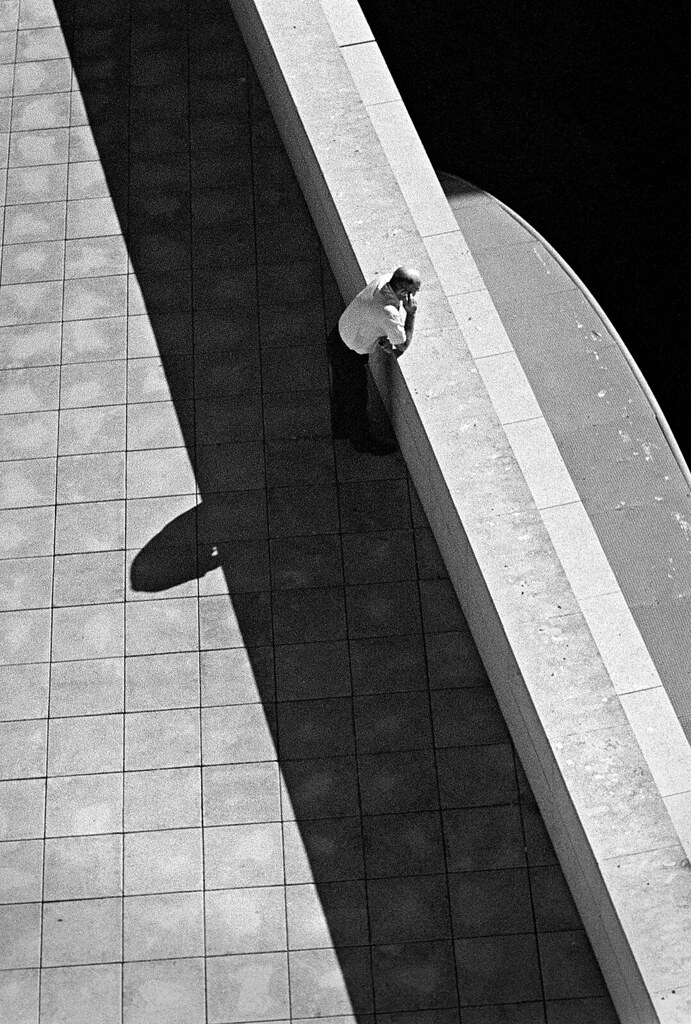
How to get the rich blacks and good contrast

mmartin09

Established
Local time
12:44 PM
Joined
Aug 31, 2011
Messages
61
I'm pretty new to doing my own bw and was hoping someone could give some advice for getting richer blacks and more contrast. I know a good amount of this is in camera, and lighting, etc... but some of it is in the development, correct? My current setup is Tri-X shot at 400 and processed in HC-110. I'm getting decent results, but it seems it could be better. Mostly, it seems a little flat and to lack good contrast. Any advice?

Attaching an example from my last roll. Its a straight scan from my epson v750.

 

Attachments

  • 50mm-test065.jpg
    50mm-test065.jpg
    119.6 KB · Views: 0
If your negs are properly exposed and developed, once they are scanned, simply make adjustments to brightness and contrast using an image processing program.
 
I added contrast to your image using the Snapseed program available for iPad. I think I like the delicate tones in your version better. But is this the effect you're looking for?
 

Attachments

  • image.jpg
    image.jpg
    93.8 KB · Views: 0
With this image, I don't think there are a lot of blacks so it was a poor choice on my part for an example. I meant for that to me a more general question, and not one focused so much on one particular image. Looking back at it, I dont think I phrased my question very well.
 
Regardless, the brightness and contrast of an image is under your control. No need to accept without adjustment what your scanner gives you.
 
If you want a look like this:

20103719 by mfogiel, on Flickr
Take a slower film (APX 100), expose at ei 200, use red filter and push in Rodinal,

however, you can get a perfectly good tonal range from Tri X in HC 110 - I usually rate it at EI 250 to get more shadow detail:

201211403 by mfogiel, on Flickr

At the processing level in PS, I usually pull up a bit the curve histogram, cut off the extremes with levels, burn in the corners and adjust with brightness and contrast at the end.
 
Frank is right, you cannot use the file right from the scanner. It simply must be edited in an image editor like Photoshop to bring out the full tonal brilliance of the image.

Read this scanning tutorial I put together:
http://chriscrawfordphoto.com/technical/scanning.php

If you need help understanding curves adjustments:
http://chriscrawfordphoto.com/technical/curves.php

Chris,

I am curious as to wether you have found certain emulsions better suited for scanning than others. If so, does the film's scanning properties change from 35mm to 120 and even 4x5?

Thanks,
 
actually, i find that film flatness affects
my affinity for the emulsion. i know
it's kinda silly, but the way some
films curls, it really drives me nuts
and psychologically, i think i have
a defective image.

Sharp rich blacks can be found in
T-Max series of film, i find that to be
true of Fuji Acros 100 as well.

raytoei
 
See, I think that the old school of films, before T grain technology, contained more silver (I read that somewhere I think a photo mag years and years ago) and were capable of stronger contrast. A properly exposed roll of TMax film is surprisingly ( to an old timer) "thin".
 
Chris,

I am curious as to wether you have found certain emulsions better suited for scanning than others. If so, does the film's scanning properties change from 35mm to 120 and even 4x5?

Thanks,

I've never scanned 4x5, but I scan a lot of 35mm and 120 film. I've honestly never seen a black and white film I couldn't scan well, and the 35mm and 120 versions of the films I have tried seem to scan the same.
 
One of the reasons I love Plus-X is the rich black and dark gray tones, particularly when exposed at 320 and developed in Diafine. Alas, Plus-X is discontinued, and I've been searching for a film that provides a similar look. One film that's promising in that department is Fomapan 100. This would be consistent with Frank's suggestion to use older emulsions.

I agree w/ other posters that, if you're looking for richer dark tones and more contrast with Tri-X, you're going to need to do more post-processing after scanning. Tri-X is a very adaptable film, but has a different look to it than Plus-X.
 
How about this?

50mm-test065.jpg


I think first off the image as you originally posted it is too light (overexposed and probably underdeveloped), so darken the whole thing down. Then, you can adjust the curves to raise the midtones and the highlights, but keep the shadows in the basement. Add a bit of a vignette, a bit of blue and magenta in the shadows (mock selenium tone), and away you go.

If you want more contrast in your negs, underexpose and overdevelop. But it's better to have flatter negs, as you'll have much more flexibility in terms of adding contrast.
 
First, I always shoot with a yellow filter. Tri-X can have really wonderful contrast. I find that pushing it to 1600 gives really amazing contrast, but I'm sure at 800 it would be more in the middle and less extreme.
This is Tri-X @ 1600, straight from the scanner [Canoscan 9000]

kelsey by scottkessler, on Flickr

I usually use D-76 but Rodinal also gives great results with Tri-X. HP5 at 400 in D76 probably has the best contrast I know of at box speed. I always fix for a bit longer as well, 7 minutes or so.

This is HP5 in D76, also straight from the scanner.

passionate dog by scottkessler, on Flickr

Finally, I could suggest Fomapan 100 developed @ 100 in Rodinal - easily the deepest blacks and whites I've seen yet. It's just less versatile being a slower film. Again, straight from my scanner.

sarah by scottkessler, on Flickr
 
The only trick is to use fresh film. And fresh paper. Preferably fb.

If you don't print yourselves, then you're hitting a digital wall. Use the curves in PS and you'll get good blacks.
Basically, if you're scanning, the film and developer are almost totally irrelevant.
 
I'm no expert by any means. I'm quite new to all of this, but scanning in Silverfast I've been able to adjust how black the shadows go simply with the Histogram. The HP5 I've shot at 800 or 1600, and with a Yellow Filter, will certainly get there faster than when I shoot at 400 or 200.
 
Back
Top Bottom