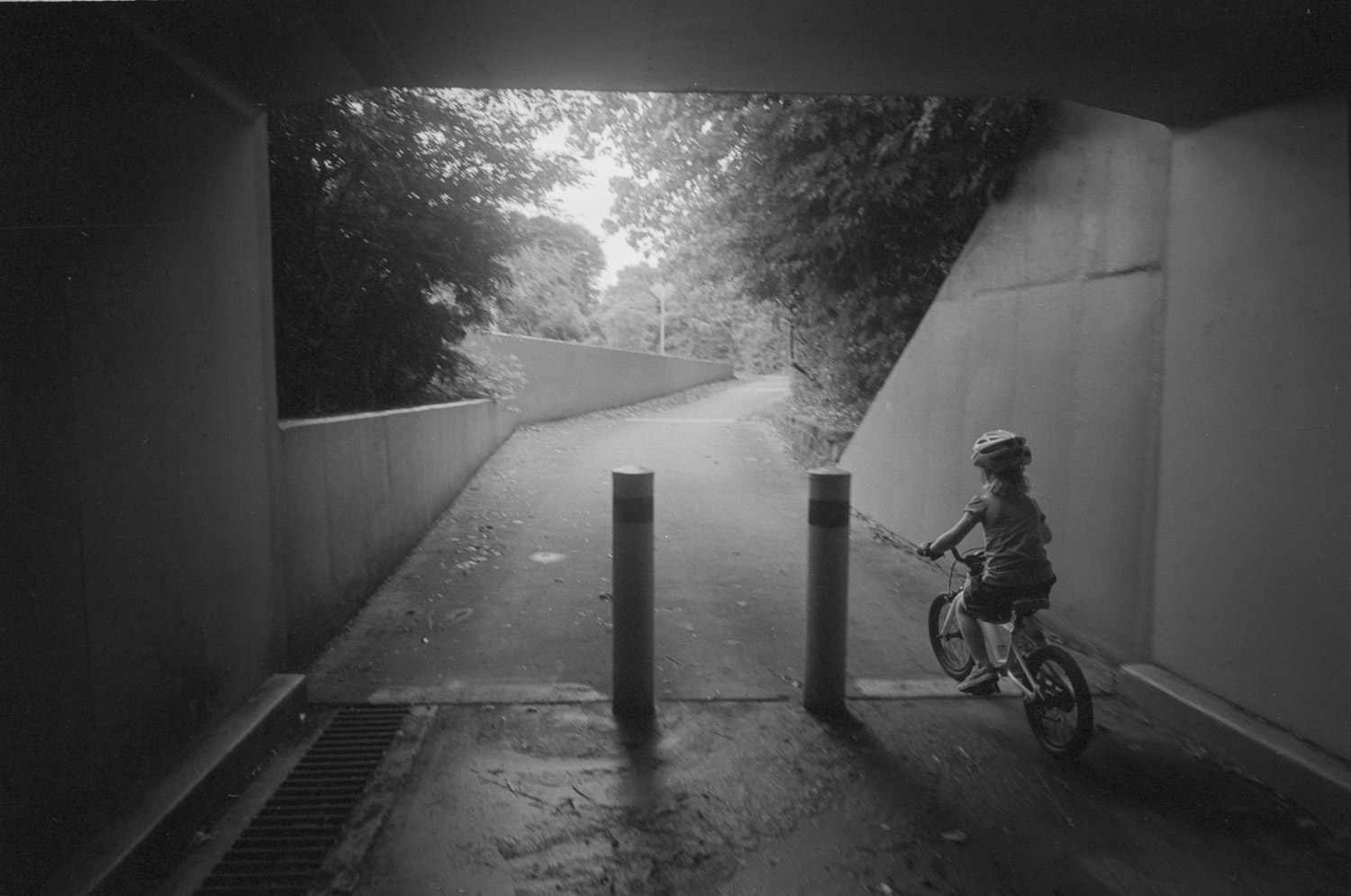
how to make a super- or ultra-wide not look "wide angle-y"?

aizan

Veteran
Local time
6:48 AM
Joined
Aug 22, 2004
Messages
5,184
lately, i've been thinking about trying a super- or ultra-wide angle lens just to see what it's like. i've always avoided them and only went as wide as 28mm because i don't like photos that look "wide angle-y." so i was wondering if there was a way to take photos with them that de-emphasizes their angle of view and looks more natural. is it possible? how do you do it?
 
Try not to tilt the camera up or down while shooting, especially if you have a subject with vertical lines like a building. Also, if you have objects in the frame that are closer than others, this will emphasize the wide-angle distortion. Wide lenses can be effectively used for landscapes, where your subject is relatively far away and there are no significant objects in the foreground.

Otherwise, try a panoramic camera like a Widelux.
 
As the others said: level and parallel. I find the Leica good for this, and especially the M5 which is easier to get a sense of the film plane with. I use accessory finders, but make the final framing adjustment in the camera viewfinder, centering and levelling with the rangefinder patch.

This is with a 21, cropping out the foreground:

med_U28906I1364735665.SEQ.0.jpg


Like poor man's view camera.
 
lately, i've been thinking about trying a super- or ultra-wide angle lens just to see what it's like. i've always avoided them and only went as wide as 28mm because i don't like photos that look "wide angle-y." so i was wondering if there was a way to take photos with them that de-emphasizes their angle of view and looks more natural. is it possible? how do you do it?

My experience has been that the tipping point is the 24 or 25mm lens. While lenses wider than that may scream "wide angle." a 24mm does not. And in addition to holding the camera level, I find that it's important to have something strong in the foreground to "anchor" the shot. An excessively wide shot that lacks a good foreground anchor may just make everything look too far off and insignificant. For me, in a wide shot, it is the foreground that should be made important.
 
Perhaps counter-intuitively (and even counter-productively if using a wide to begin with!) not getting too close to your foreground subject or objects can help. Also choice of lens? I've not shot with a Biogon or Hologon personally, but from what I've seen from these they both shine in regards to the quality of their rectilinear correction—I suspect how you approach the matter could depend a great deal on the sort of lens you're using.
Cheers
Brett
 
Agreed with all the above. Don't put anything round (like a head) at the edge, it'll turn into an oval and look wrong - especially true of more modern designs (which happen to be sharper).

In my opinion, the older "film only lens close to the sensor" designs have less distortion and look less wide.

Some examples, full uncrossed frame:
4.5/21 ZM c-biogon:

U55701I1446116347.SEQ.0.jpg


3.4/21 Leitz SA (my favourite wide angle)

U55701I1456189994.SEQ.0.jpg


U55701I1462760811.SEQ.0.jpg
 
As the others have said regarding keeping things level. The higher-end lenses can be very convincing/the best corrected, but can cost a few bucks. Probably the most economical route is shooting with a fisheye and using a program like Fisheye Hemi to convert the image.

I'm finding the 18mm f3.8 ASPH Super Elmar to be one of my sharpest lenses, and excellent for keeping things "normal" looking when used on my M262.


After some playing with CV Ultra Wides when they came out, like you, I didn't shoot anything wider than 28 for more than 10 years. Lately, I've gone back and experimented with 21mm again. I'm trying to "embrace" the perspective (there will be converging lines, might as well use them ....), and have close subjects, as was said above. Also, when outdoors, I'm trying to make use of the sky if possible. LV on digital helps me a lot.

L1002762_tn-XL.jpg


L1002763_tn.jpg


L1002856_tn.jpg


L1002835_tn.jpg


L1000784.jpg


Still trying to improve ...

Roland.
 
Back
Top Bottom